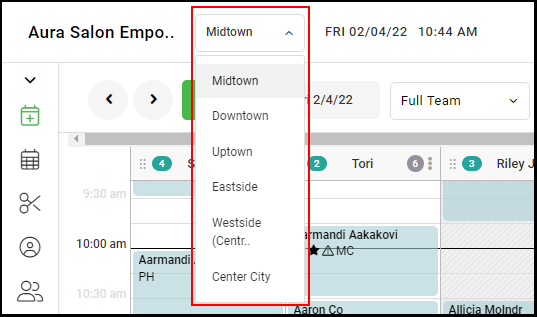
1. If your Salon has multiple locations, select the location on the top of the screen.
NOTE: If your salon only has one location, skip this step and proceed to step 2.
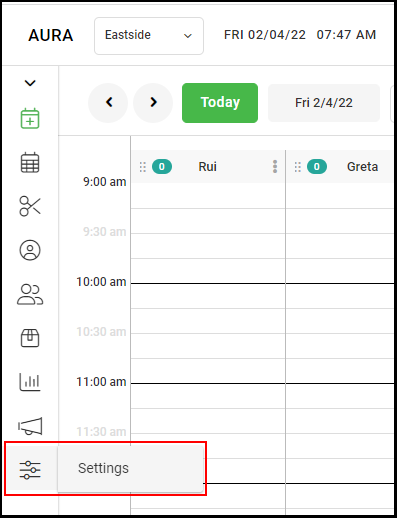
2. Go to "Settings" on the left side menu.
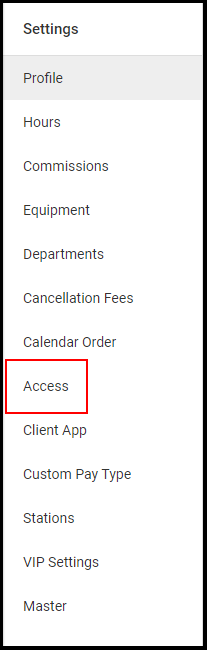
3. Select "Access" on the Settings menu.
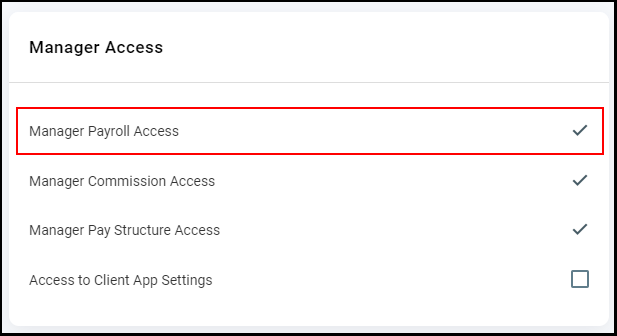
4. Check the "Manager Payroll Access" box if managers are permitted to view the Payroll Report.
5. Click "Save" on the top right of the Access page.
6. For Salons with multiple locations, repeat steps 1-5 for each location.