Getting Started
Next AM+ provides eligible merchants with faster access to their funds, allowing deposits to arrive as early as 10 AM CST the following morning, including weekends and holidays.
All enrollment requests are subject to review and approval before Next AM+ is activated. Once funding is active, merchants must batch daily by 8 PM CST to receive their deposit by10:00 AM CST.
1. Navigate to the 9-dot menu.
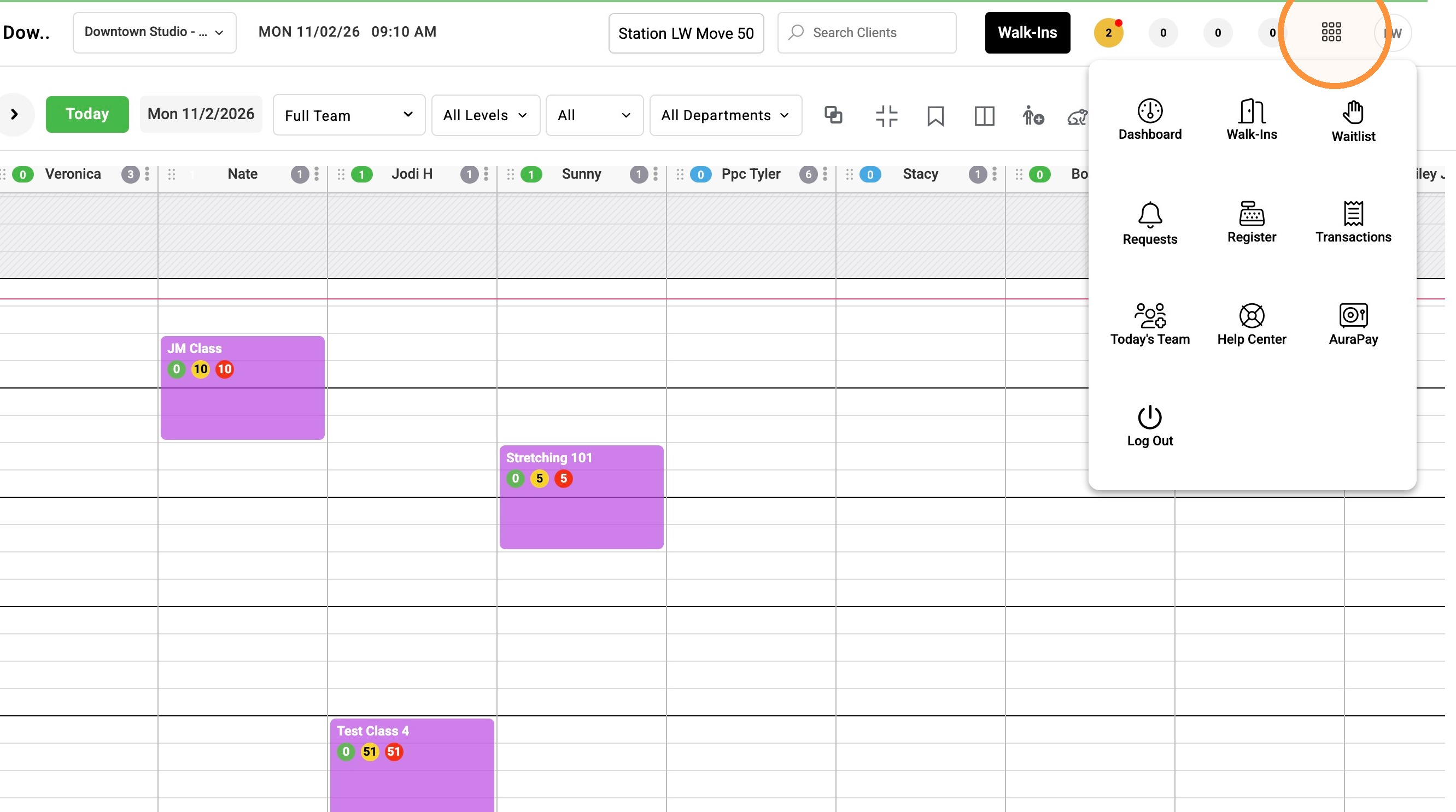
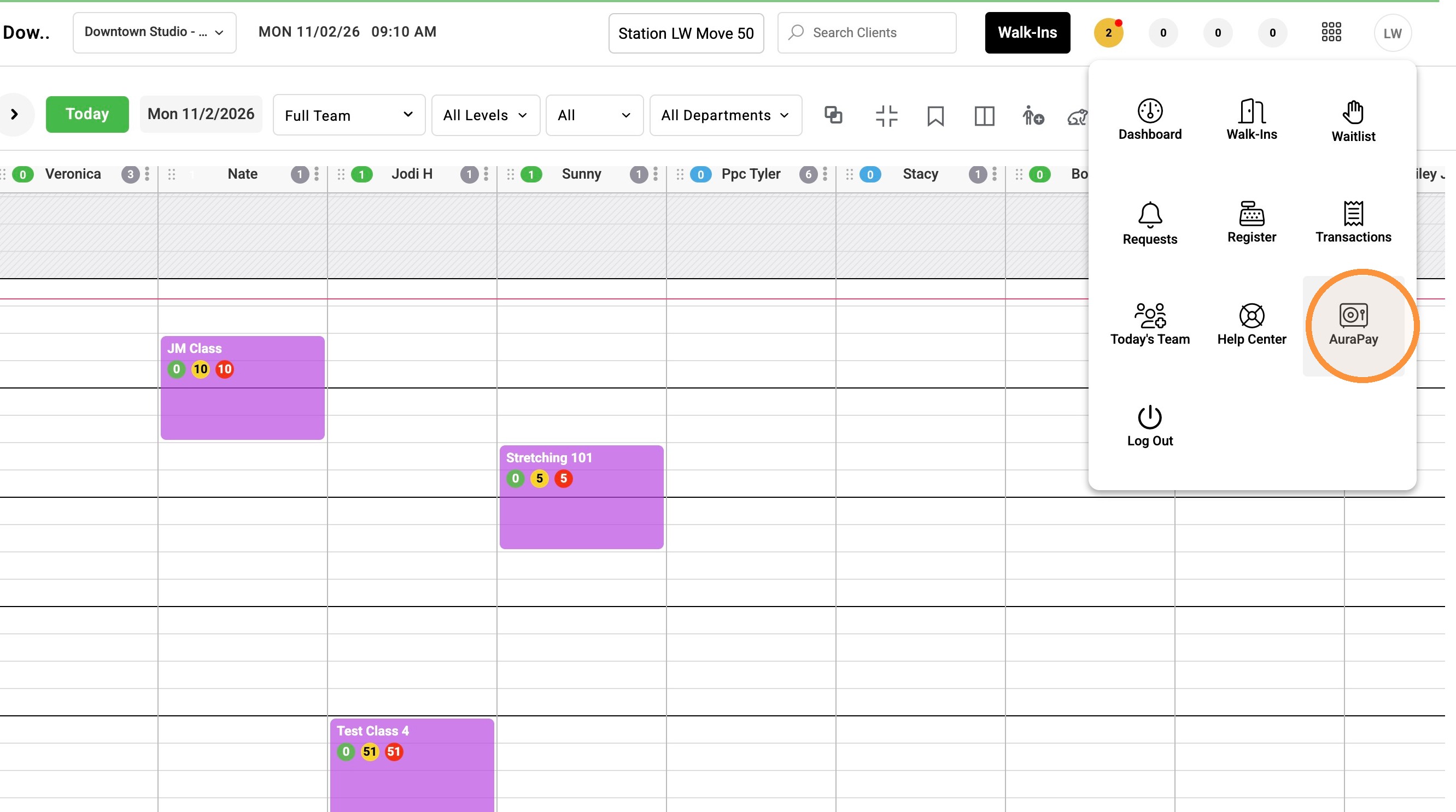
2. Click "AuraPay"
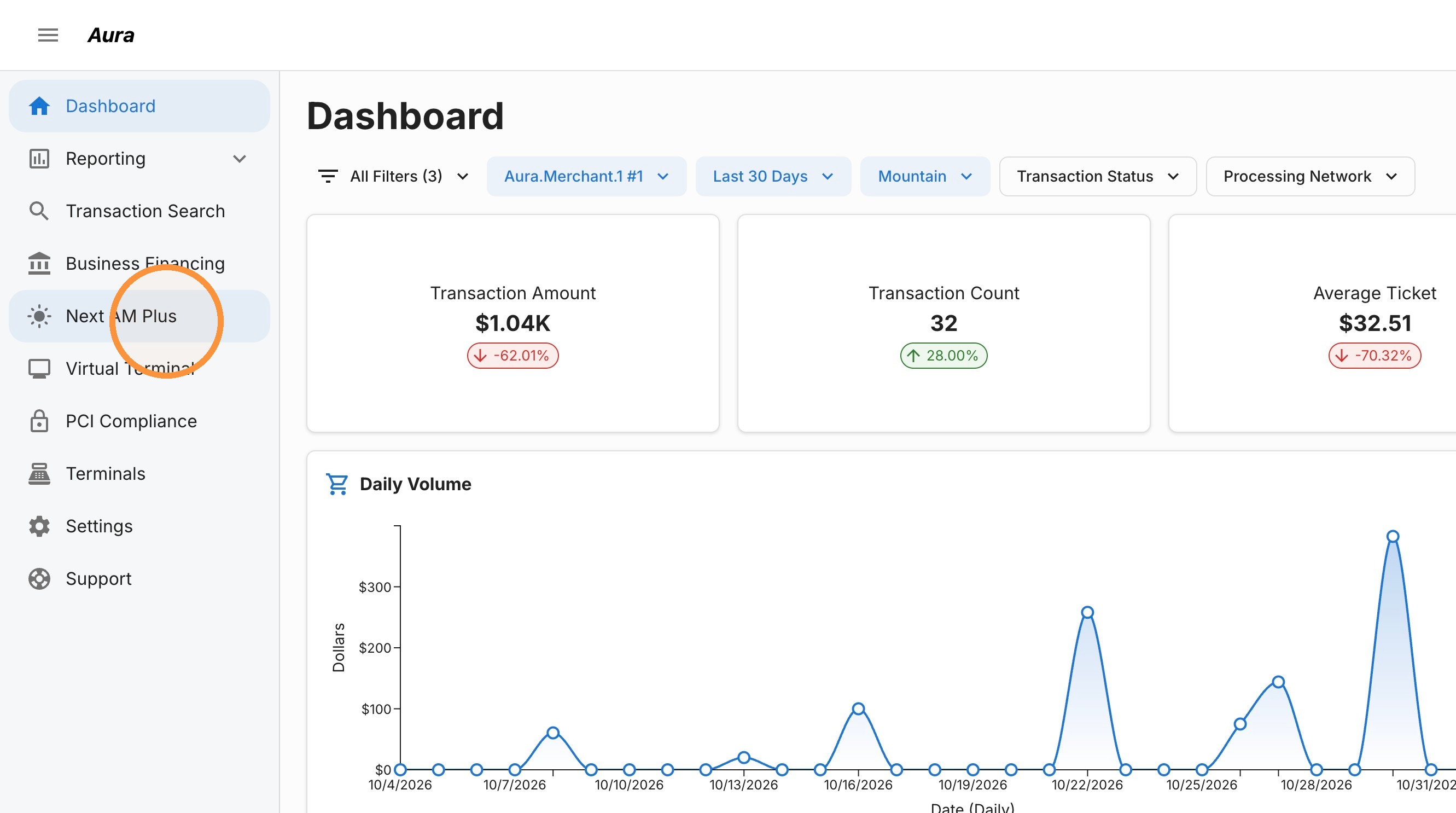
3. Click "Next AM Plus"
4. Click "Enroll"
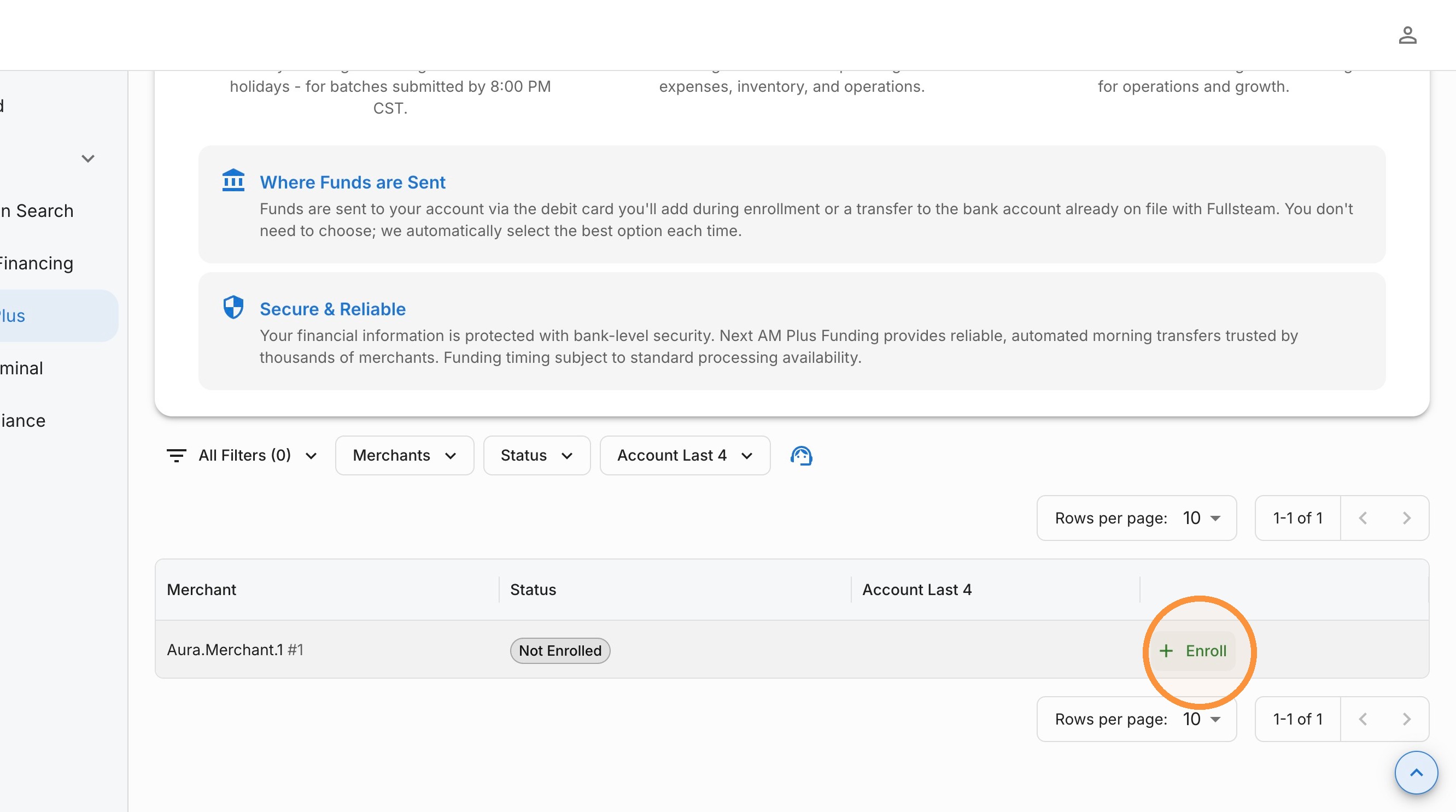
5. Enter the merchant owner's email address.
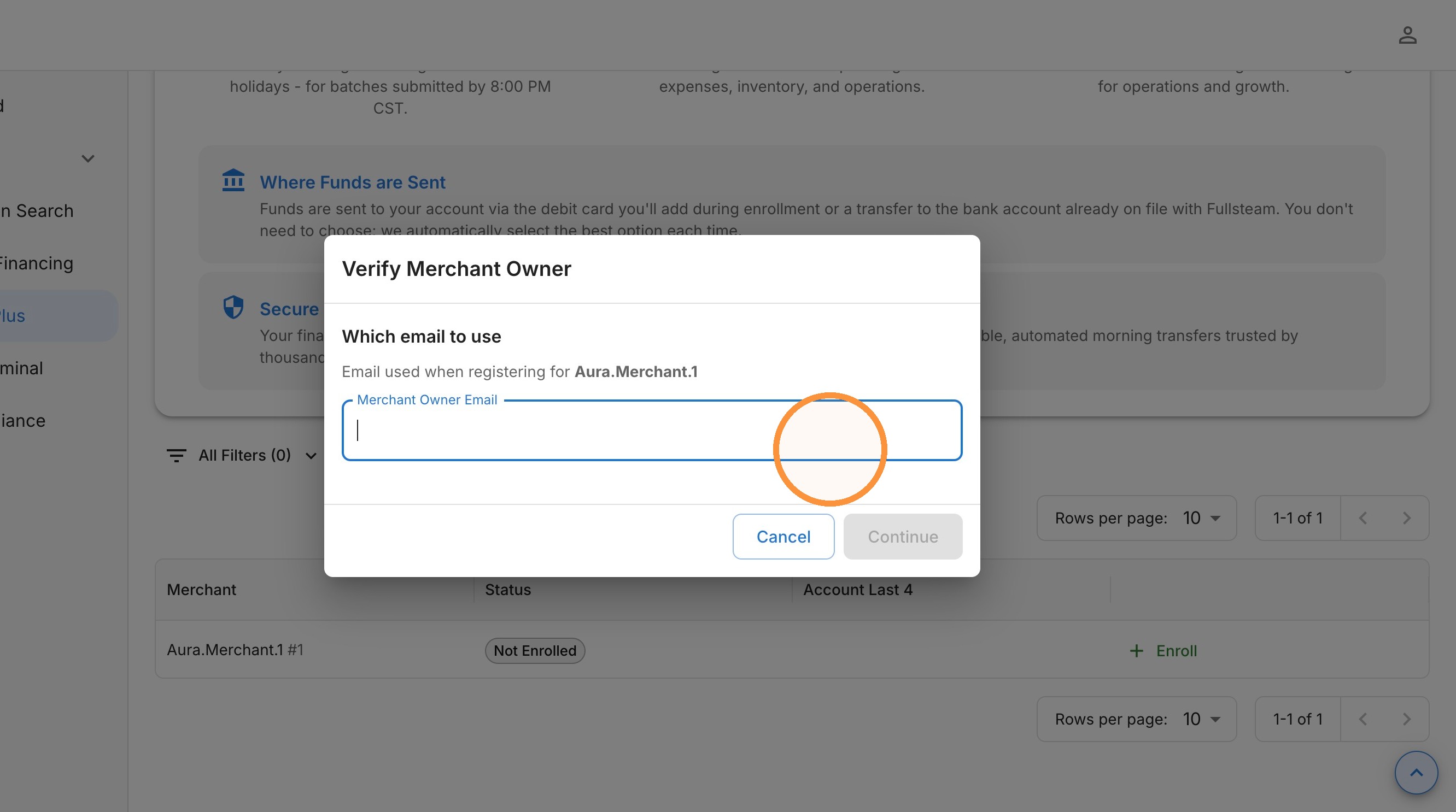
6. Select Continue.
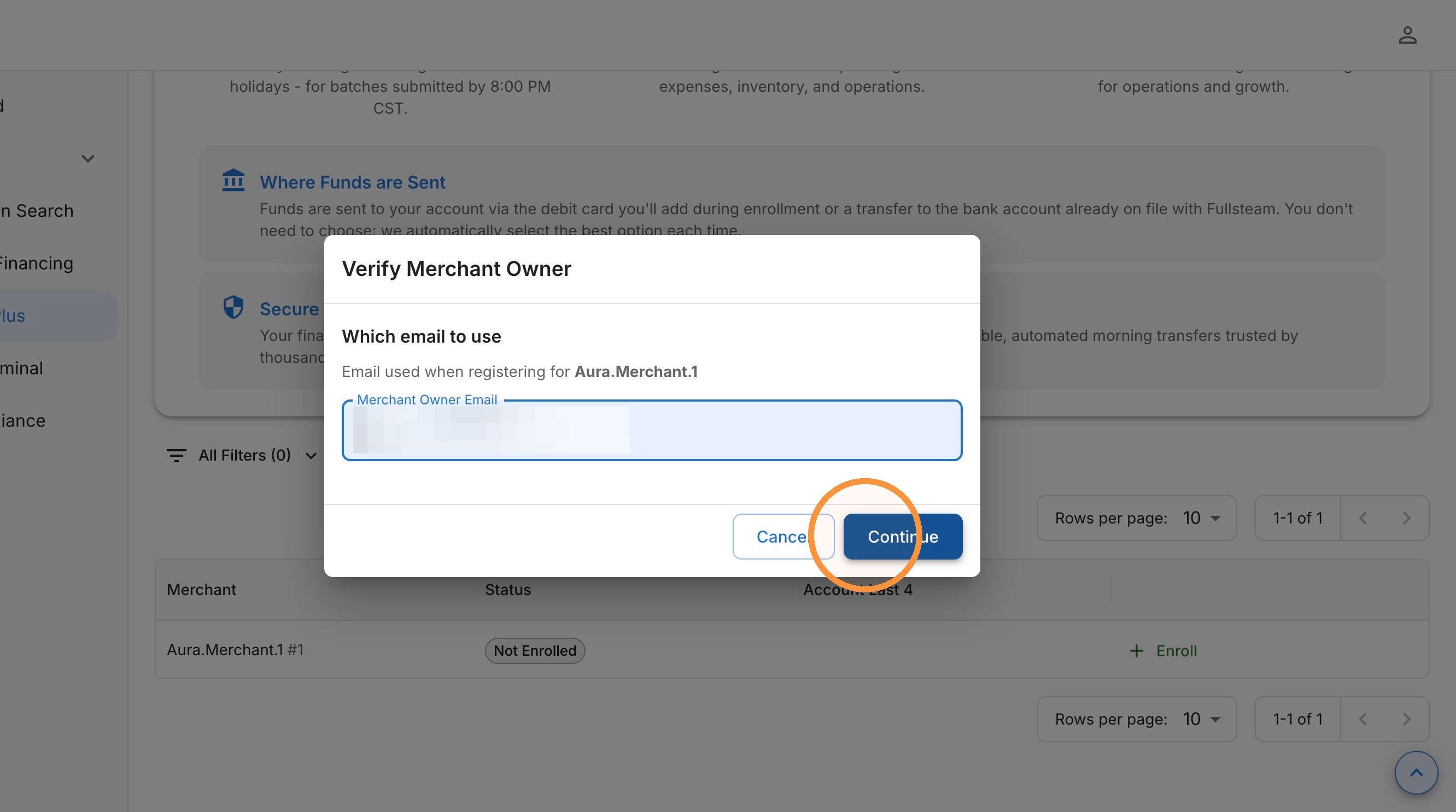
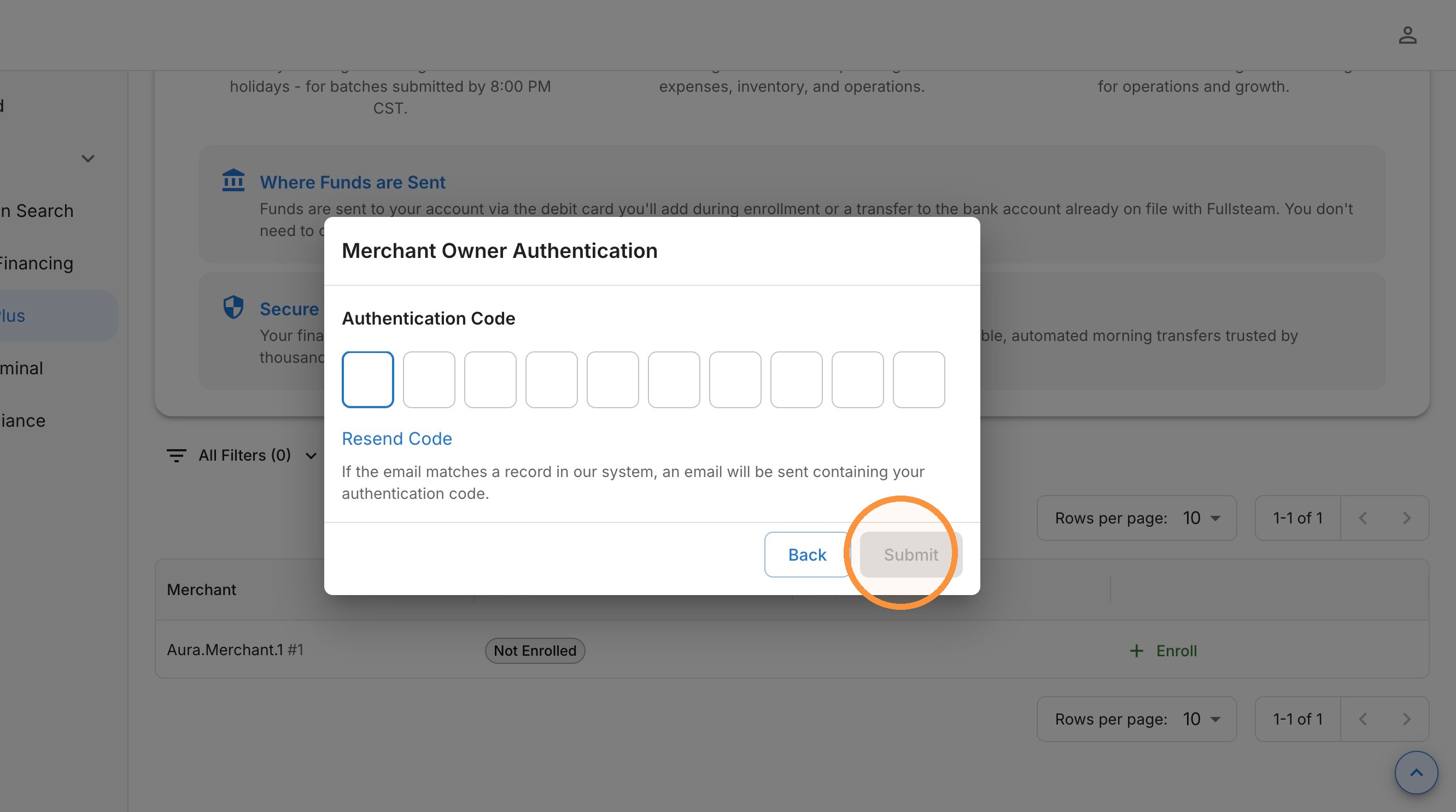
7. Retrieve the authentication code sent to the merchant owner's email.
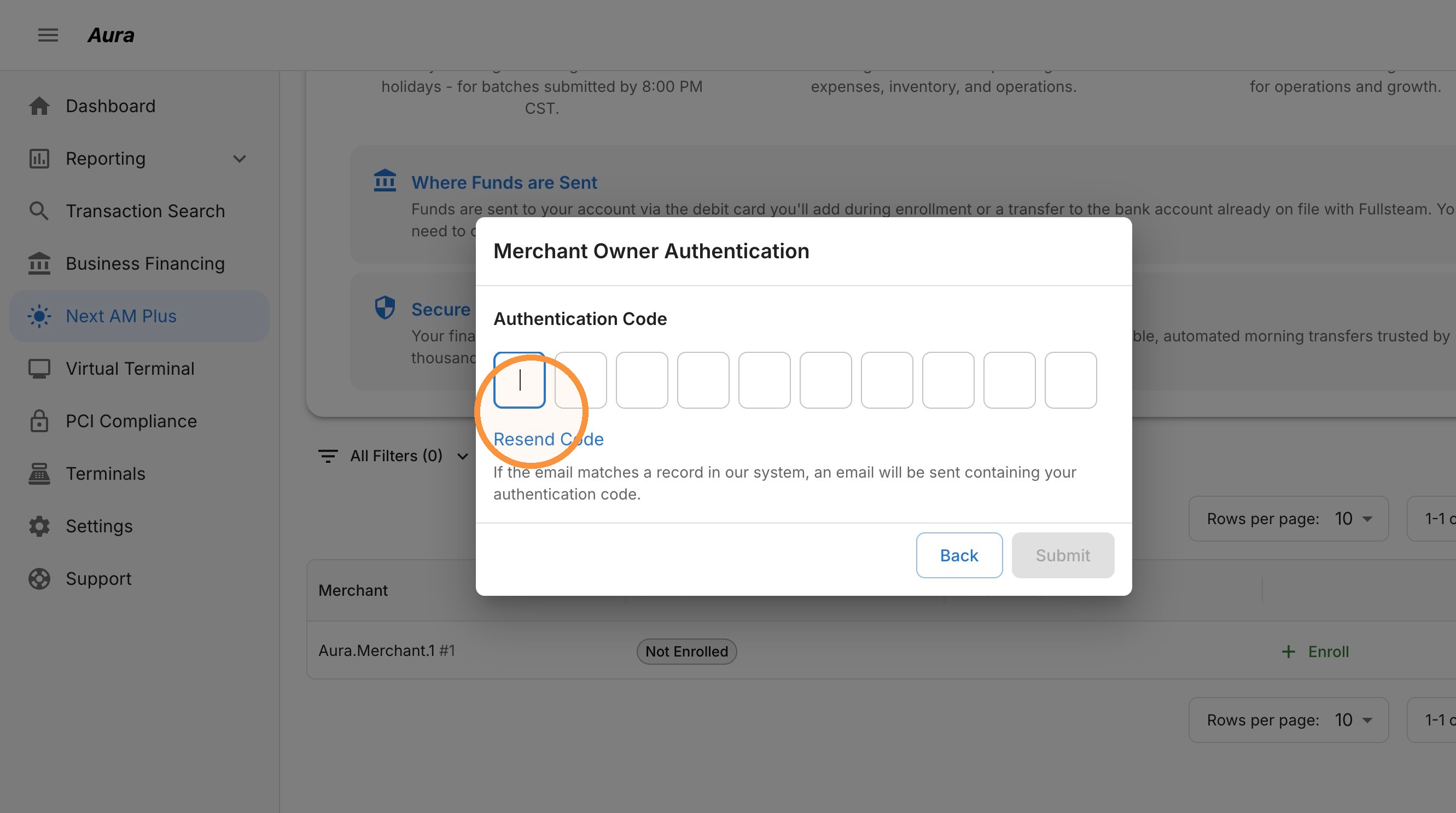
8. Select Submit to continue to the enrollment agreement.
9. Read the Terms and Conditions. Scroll to the bottom of the document and, if needed, scroll down the page to see both checkboxes.
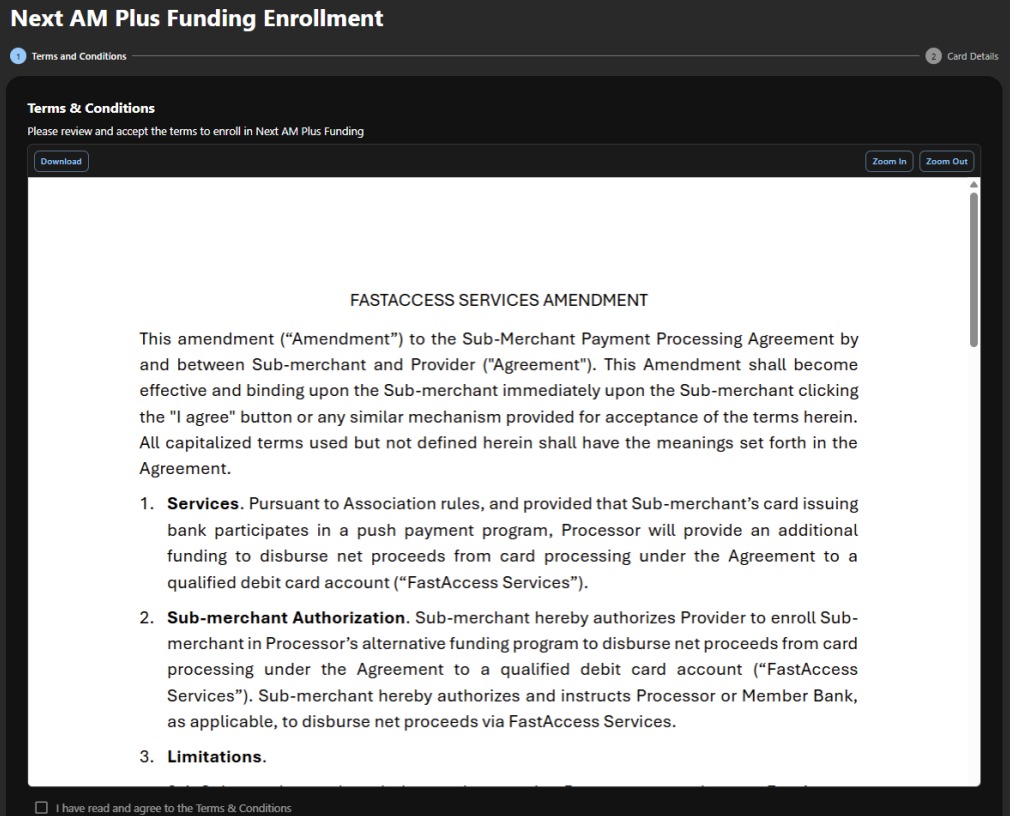
10. Both checkboxes are required to proceed:
Acknowledgment and acceptance of the Terms and Conditions.
Agreement to the funding fee displayed for your account.
Make sure both boxes are selected before clicking Continue.

Tip: Review your account’s displayed rate before agreeing. The fee is a percentage of your funded amount.
11. Enter a valid Visa or Mastercard debit card associated with the same bank account currently used for your ACH funding. Credit cards and debit cards connected to a different bank account cannot be used.
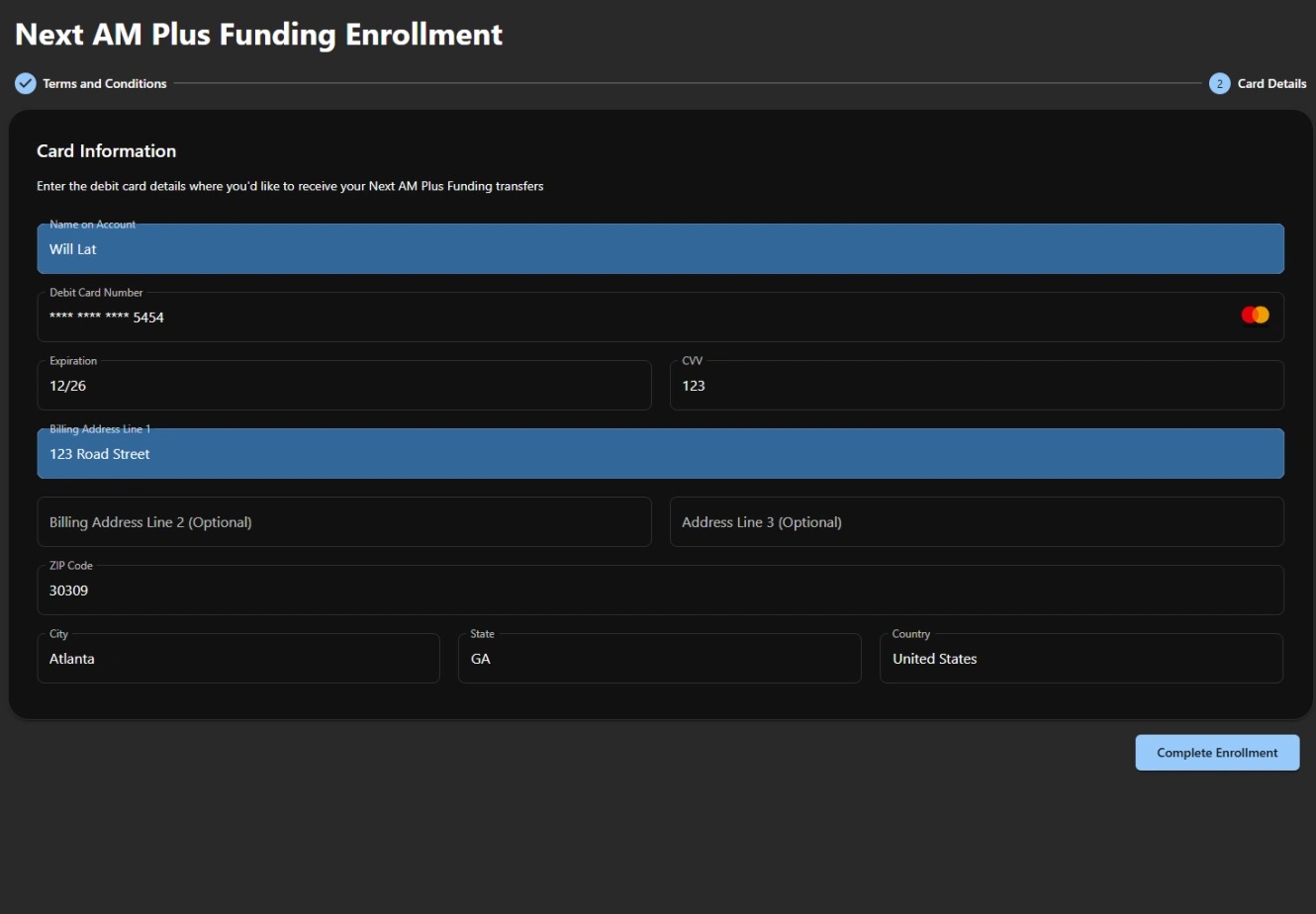
12. Once your card has been successfully validated, your application will be submitted for review. You will see an Application Pending Review status.
Important: Completing enrollment does not immediately activate Next AM+. Your application must first be reviewed and approved. You will receive a confirmation email from the merchant owner account with your funding activation date.
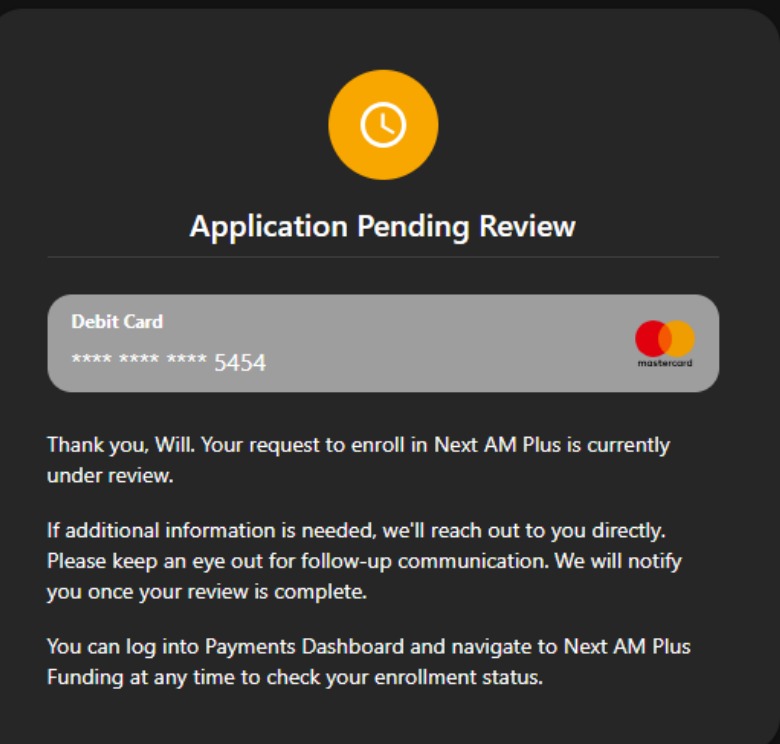
13. Return to the Next AM Plus page at any time to check your status. While the request is being reviewed, the page shows Pending Review and the last four digits of the card on file.

14. Once approved, your status changes to Enrolled, and the merchant owner receives a confirmation email with the funding start date.

Tip: After funding begins, close your daily batch by 8:00 PM CST to receive deposits by 10:00 AM CST the next morning, including weekends and holidays.
Update Card After Enrollment
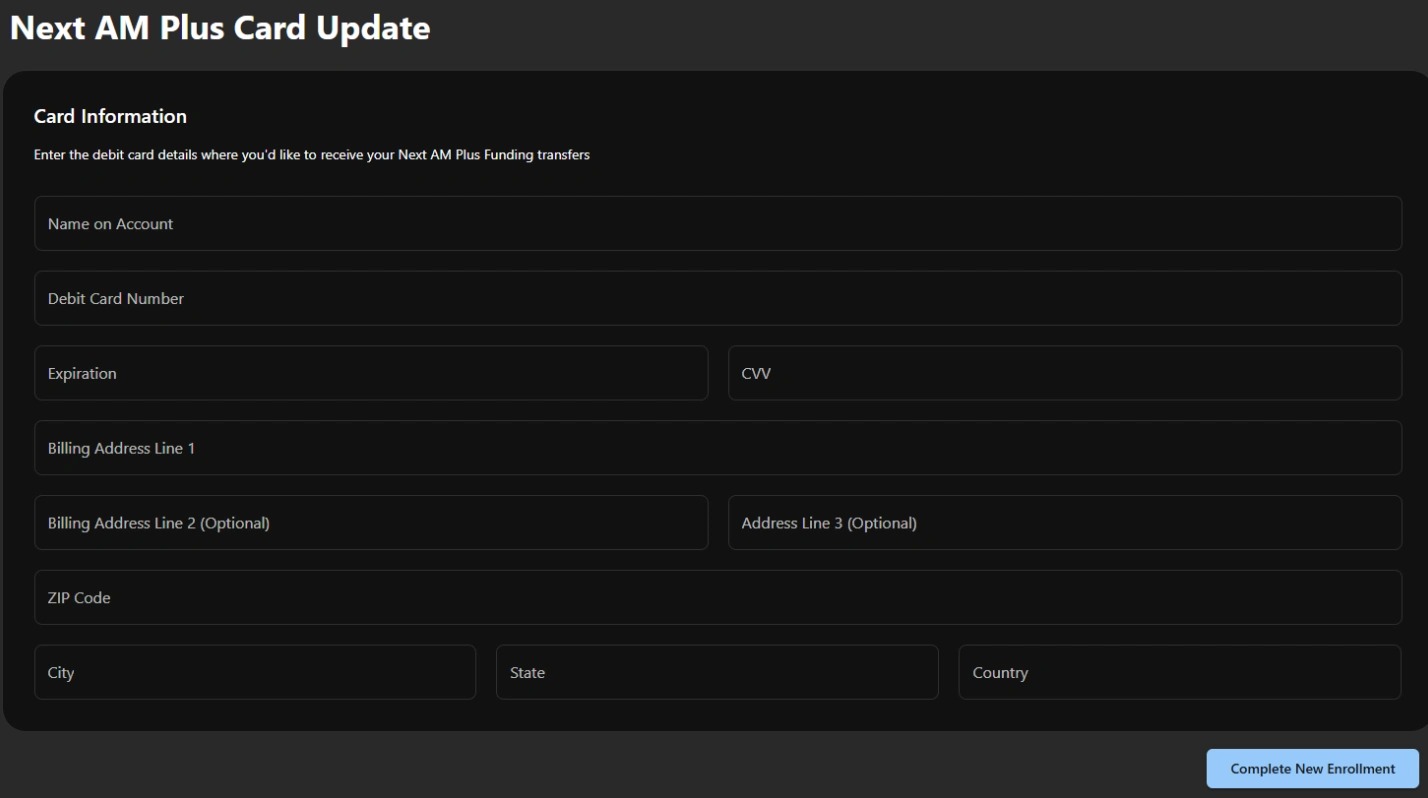
1. To change the debit card on file, open the Next AM Plus page and select Update Card next to the enrolled merchant account.

2. Enter your new card details and billing address, then select the submission button at the bottom of the form. Use a Visa or Mastercard debit card tied to the same bank account used for ACH funding.