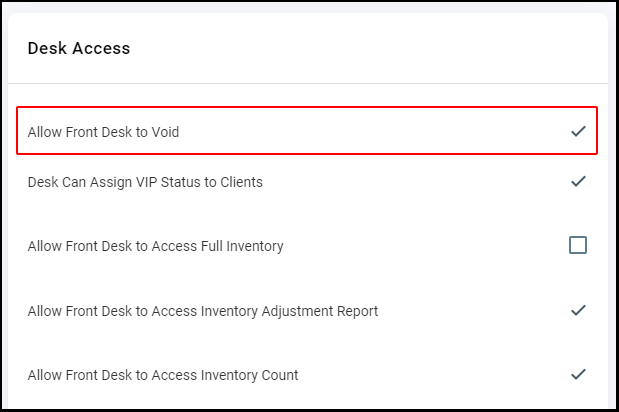
Owners can allow Reception's ability to void by selecting "Allow Front Desk to Void". Employees whose role is assigned as "Reception" will be able to void transactions when this is enabled. Regardless of the setting, voids must take place on the day of the transaction.
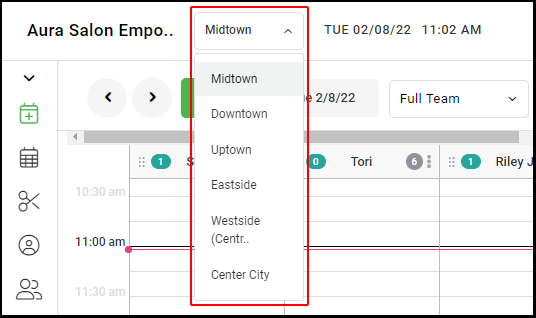
NOTE: Multi-location salons must do this in each location.
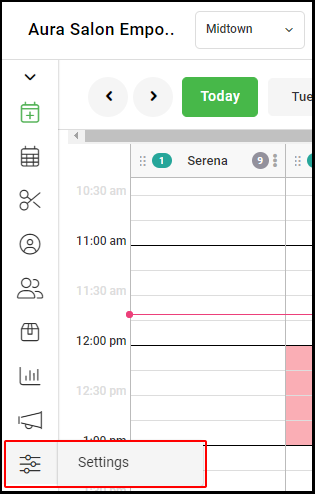
1. Navigate to "Settings".
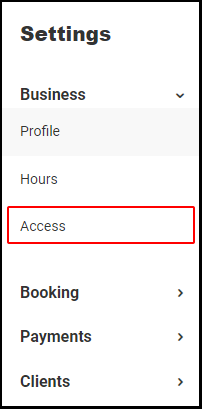
2. Select "Access".
3. Under "Desk Access", select "Allow Front Desk to Void".
4. Select "Save" at the top of the page.

5. Repeat this step in every salon location for multiple location salons.