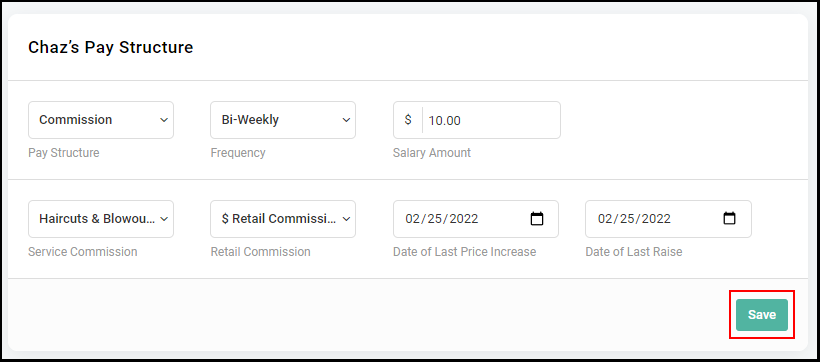
Owners and Managers can set up or edit an Employee's Pay Structure
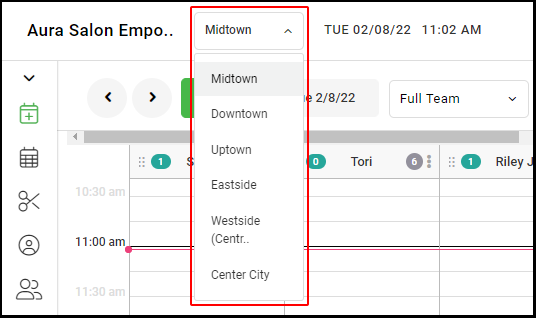
1. If your Salon has multiple locations, select the location at the top left of the screen.
NOTE: If your salon only has one location, skip this step and proceed to Step #2.
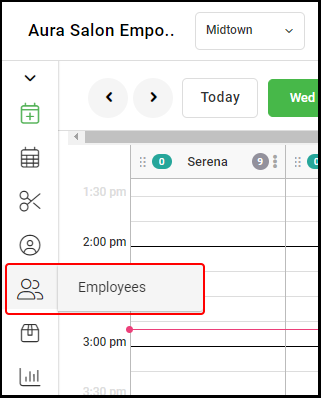
2. Select "Employees".
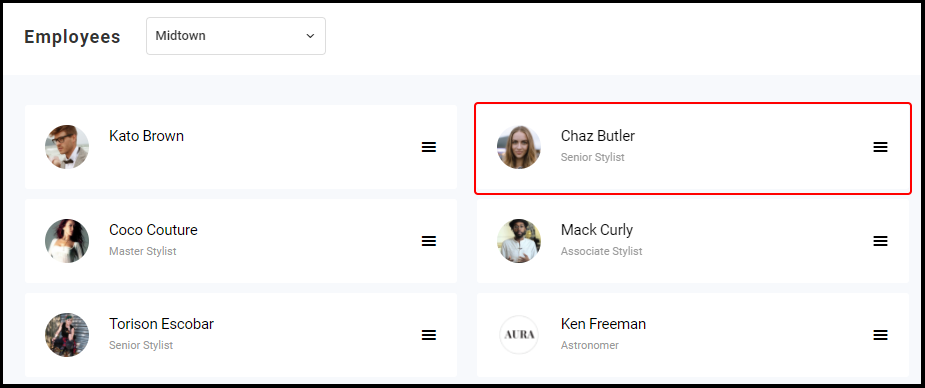
3. Select the Employee you want to set up or edit.
4. Select "Pay Structure".
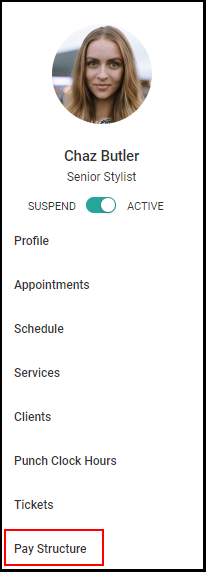
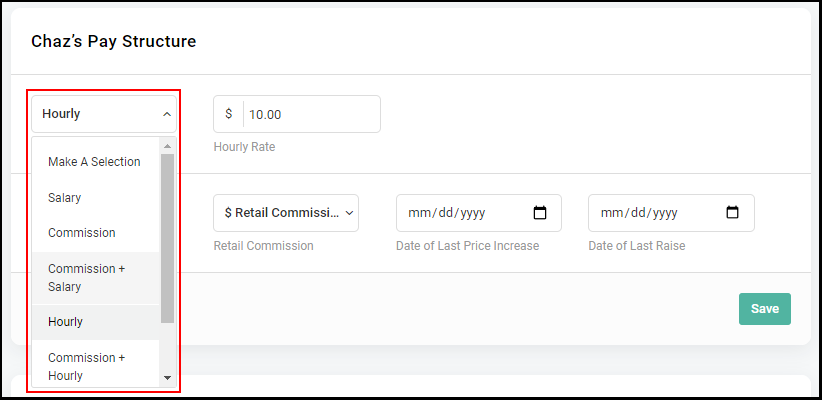
6. In the Employee's profile, select the desired pay structure for the employee from the drop down menu.
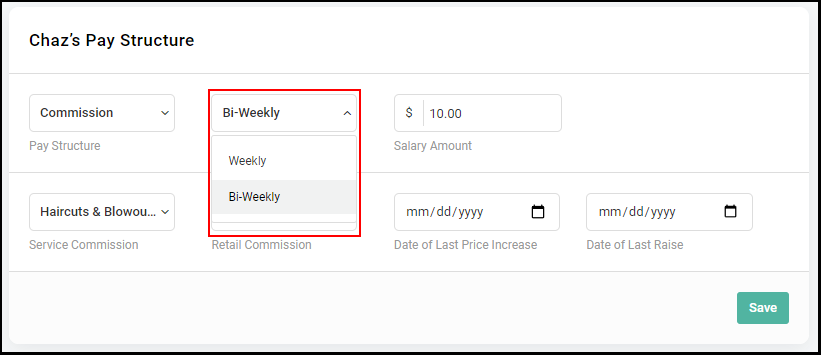
7. Select a frequency rate if it is required for that Employee's pay structure.
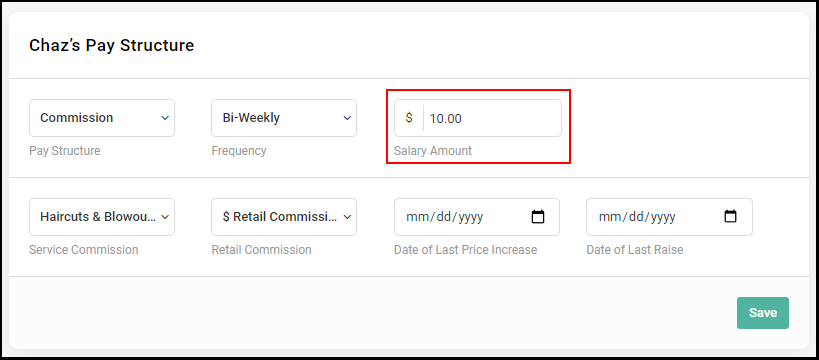
8. Enter in a hourly or salary rate if needed.
NOTE: If adding a salary rate, base the dollar amount on your payroll time frame - weekly or bi-weekly.
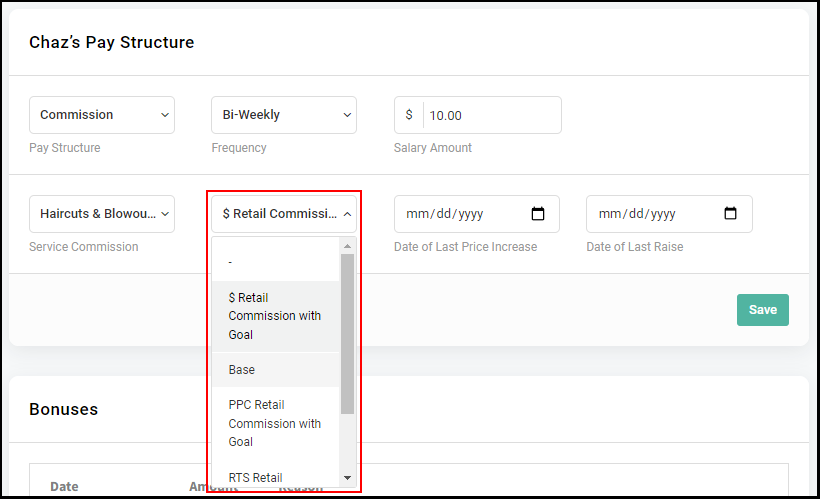
9. If Service and Retail Commissions are already created for the salon, select the appropriate Commission level for the Employee.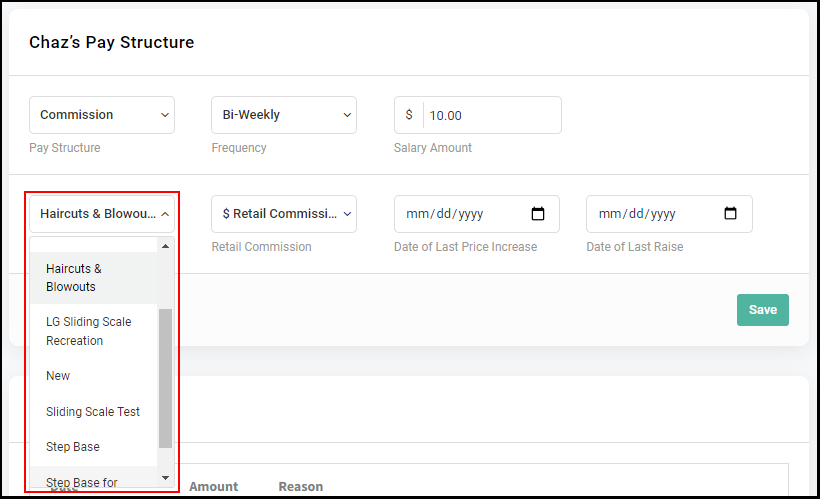
10. Enter the date of the Employee's last Service Price increase and Employee's last Pay Raise as a reminder.
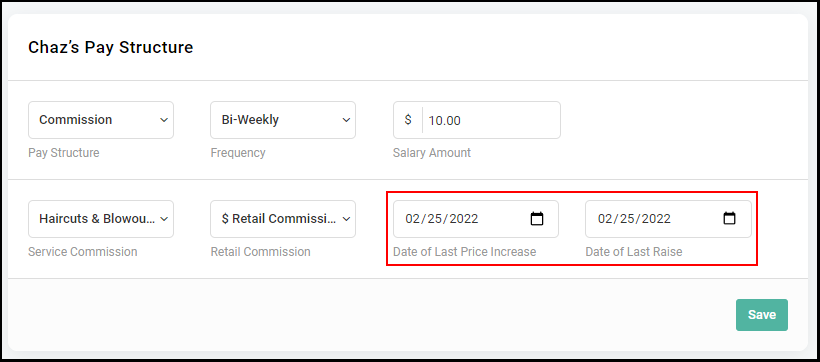
11. Select "Save".