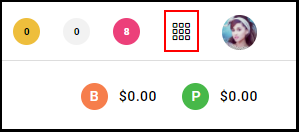
1. Navigate to the "Menu".
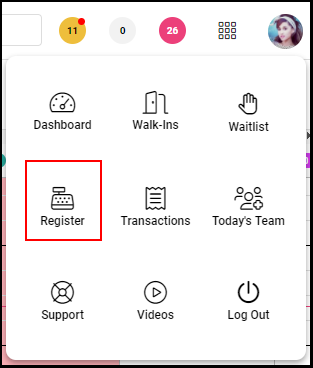
2. Select the "Register".
Beginning of Day
1. Select the "Starting Amount" and use the cash counter to enter the number of bills or coins or the total cash counted.
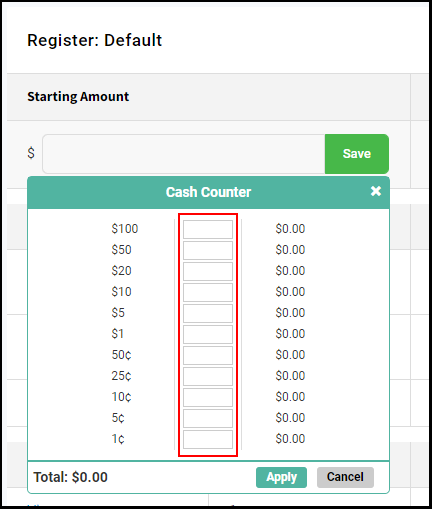
3. Select "Apply"
End of Day
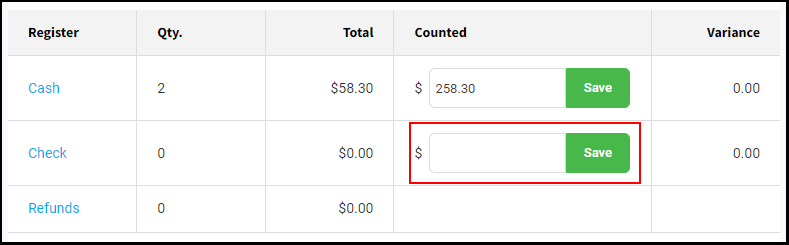
1. Select the "Cash Counted" field.
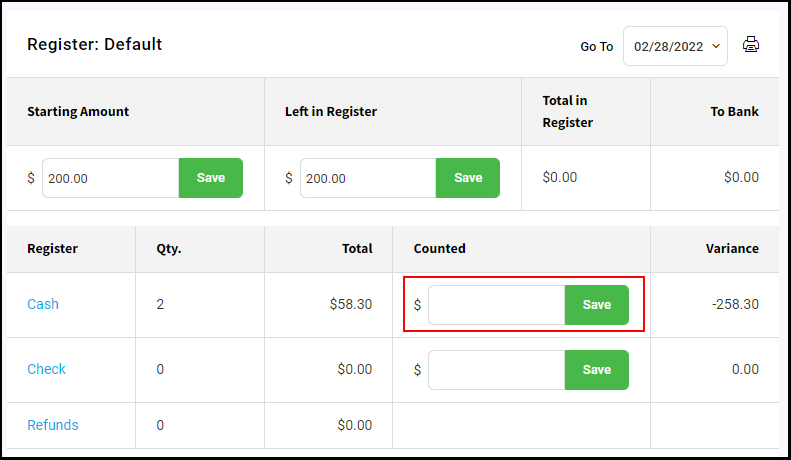
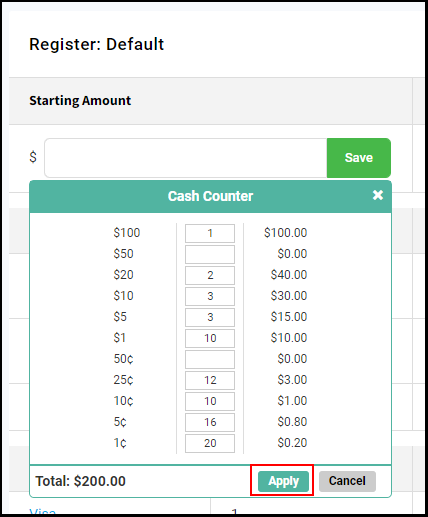
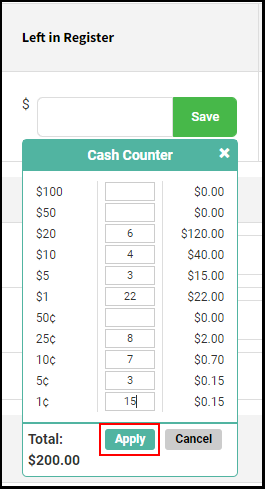
2. Use the "Cash Counter" to enter the number of bills or coins or the total cash counted.
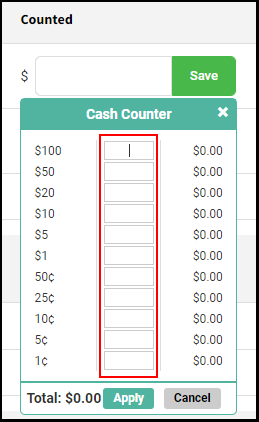
3. Select "Apply" and then "Save".
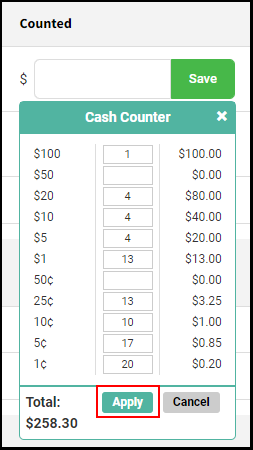
4. There should be $0.00 in the "Variance Column", unless Petty Cash was taken out throughout the day. If there is an amount listed and there were no petty cash deductions, then you should re-count your cash again before digging further into transactions.
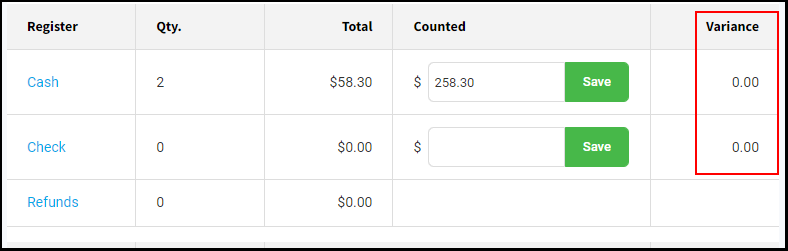
5. Enter the total dollar value of any checks you received and add that amount on the line next to checks and then click save.
6. Select "Left in Register" and determine the amount you wish to keep in the register for the following starting day.
NOTE: Many salons start and end each day with ~$200 in the register.
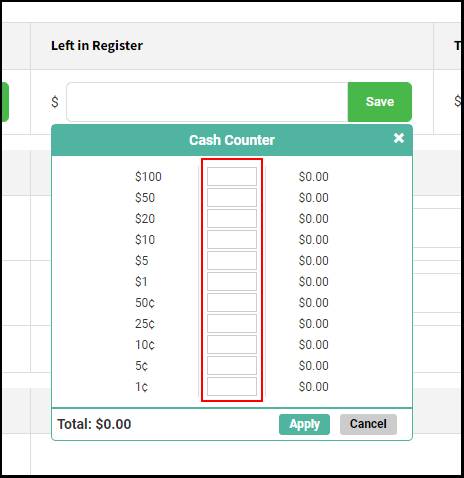
7. Click "Apply" then "Save".
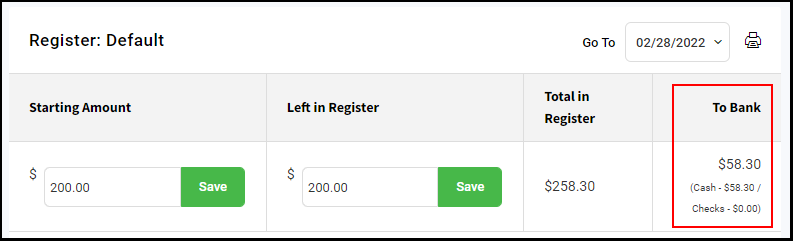
8. The "To Bank" column will take the Total in Register minus Left in Register to determine the amount to be deposited at the bank. In this case, it was $258.30 (Total in Register) minus $200.00 (Left in Register) = $58.30 (To Bank).
NOTE: Take out any cash listed under the “To Bank” column and add to your deposit along with any checks.
9 Verify your Credit Card transactions match what your terminal report shows. If there are any errors, review your credit card transactions one by one to find the error and correct as needed.
NOTE: If you cannot find the error by using your credit terminal report, you can also log into your EVO account to compare your transactions individually online.
NOTE: Credit card receipts, and any additional closing paperwork should also be kept for salon records.