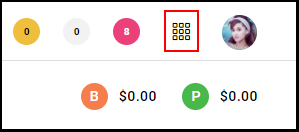
1. Navigate to the "Menu".
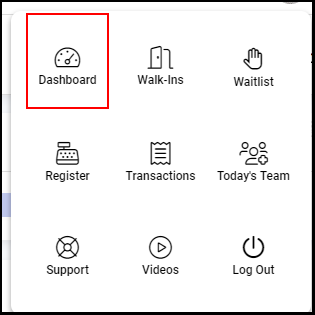
2. Select "Dashboard".
3. Select the "Settings Dial" within the dashboard.

4. Select the drop-down adjacent to "Retail Sales Per Hour Calculation" or "Service Sales Per Hour Calculation".
NOTE: Both Retail Sales Per Hour Calculation and Retail Sales Per Hour Calculation contain identical drop-down options.
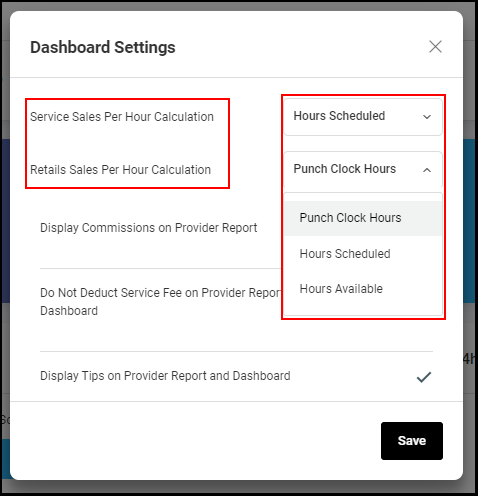
5. Select how you would like your Aura dashboard to calculate the Retail Sales Per Hour and/or the Service Sales Per Hour, then select "Save".
a. Punch Clock Hours: The time that employees are clocked into Aura using the punch clock feature
b. Hours Scheduled: Total hours scheduled
c. Hours Available: Total hours scheduled minus blocks
NOTE: Service Sales Per Hour and Retail Sales Per Hour Calculation will default to "Hours Scheduled" unless otherwise changed.
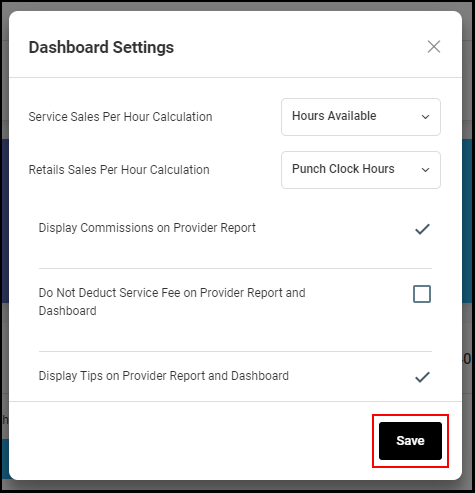
6. The dashboard will calculate the Retail Sales Per Hour and Service Sales Per Hour based upon your selections.