1. If your Salon has multiple locations, select the location on the top of the screen.
NOTE: If your salon only has one location, skip this step and proceed to Step #2.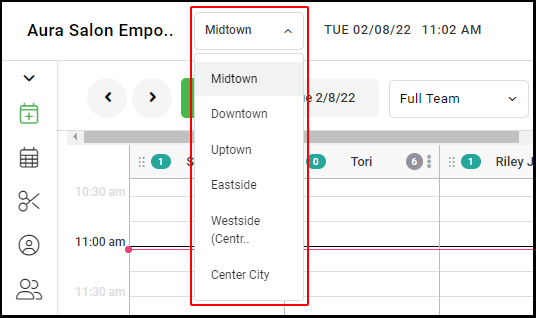
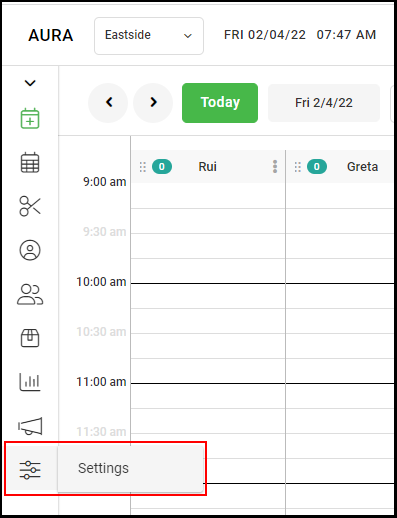
2. Go to "Settings" on the left side menu. You will be automatically directed to your Salon "Profile".
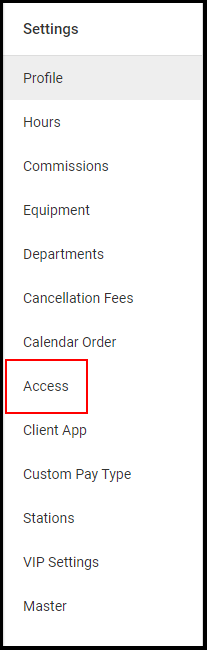
3. Select "Access".
4. Check the box for "Allow Providers To Block Time" to enable providers to add blocks on the calendar. If unchecked, providers' ability to add blocks to the calendar will be disabled.
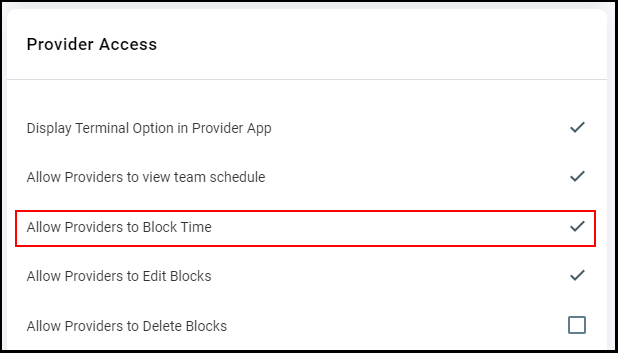
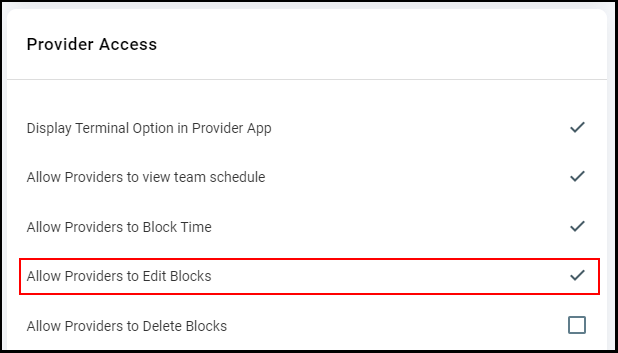
5. Check the box for "Allow Providers To Edit Blocks" to enable providers to edit blocks on the calendar. If unchecked, providers' ability to edit blocks to the calendar will be disabled.
NOTE: Aura automatically defaults this feature as ON.
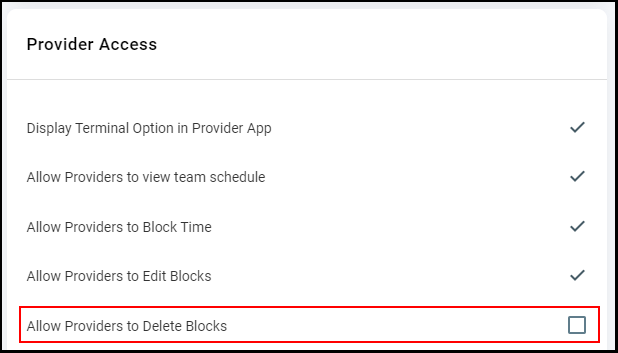
6. Check the box for "Allow Providers To Delete Blocks" to enable providers to delete blocks on the calendar. If unchecked, providers' ability to delete blocks to the calendar will be disabled.
NOTE: Aura automatically defaults this feature as ON.
7. Click "Save".
8. If you have multiple salon locations, repeat steps 1-6 for each location.