Owners and Managers can upload any image of their choice to appear on the mobile version of the Client App
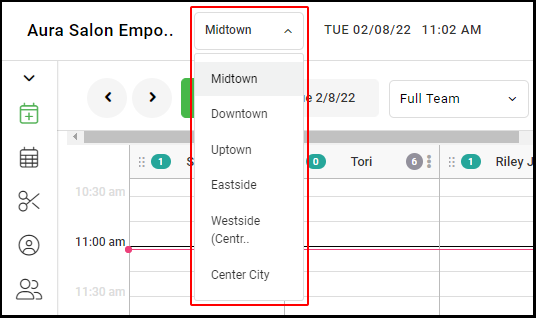
1. If your Salon has multiple locations, select the location at the top left of the screen.
NOTE: If your salon only has one location, skip this step and proceed to Step #2.
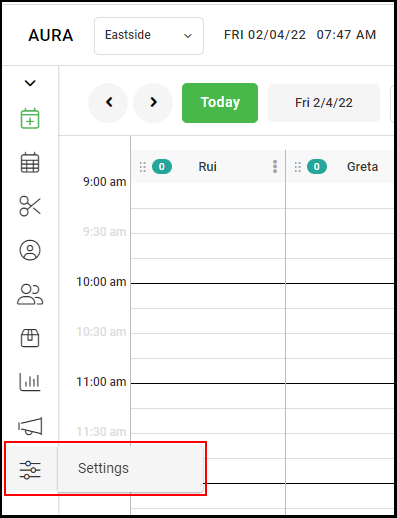
2. Select "Settings".
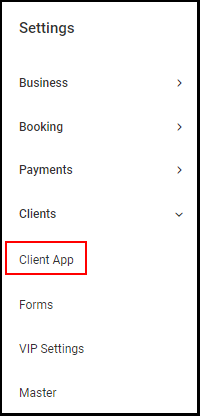
3. Go to "Client App".
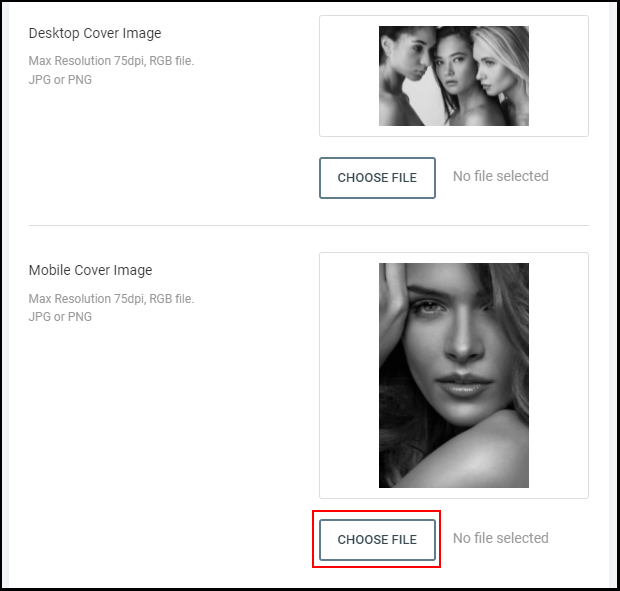
4. Scroll down to the "Mobile Cover Image" section, and select "Choose File" to upload the cover image that will appear on the mobile version of the Client App.
NOTE: Images that are in the JPG and PNG format can be uploaded. Images in the BMP, GIF, and TIF cannot be uploaded. Any size image can be uploaded, but 1360 x 600 is the recommended size for the clearest image.
8. Select "Save".