Owners and Managers can customize part of Arrival Texts to include arrival instructions. An Arrival Instructions field has been added to the Client App Settings so customized instructions can be created for clients to use when they arrive at the salon.
NOTE: Arrival Instructions will need to be added for each location for multi-location salons.
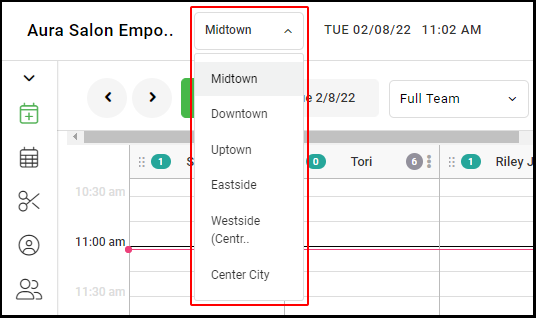
1. If your Salon has multiple locations, select the location at the top left of the screen.
NOTE: If your salon only has one location, skip this step and proceed to Step #2.
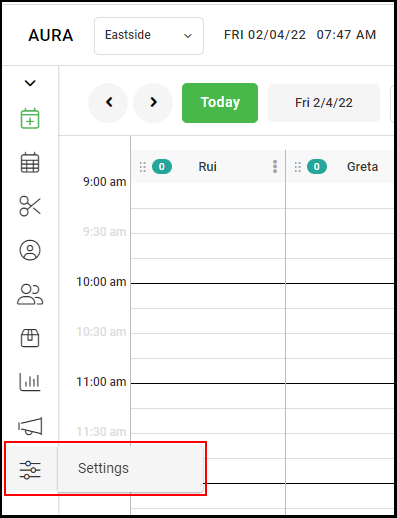
2. Select "Settings".
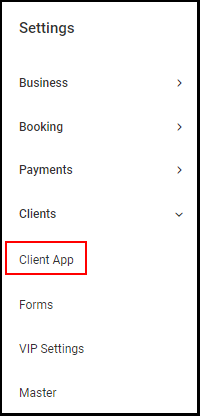
3. Go to "Client App".
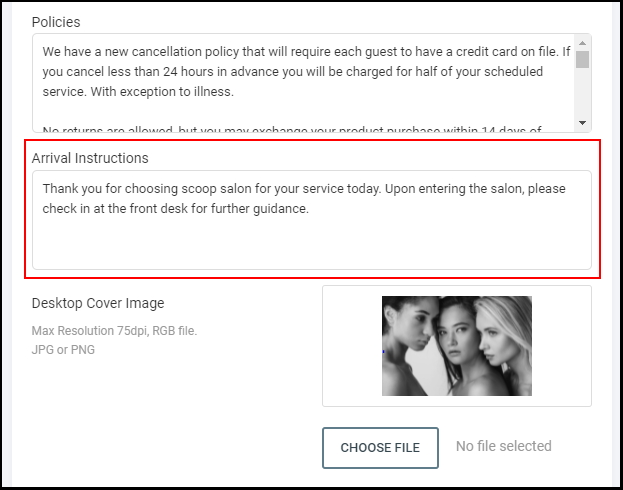
4. Scroll down to the "Arrival Instructions" section of the Client App settings and type in the arrival instructions clients will receive a link to when they receive their Arrival Texts.
5. Once Arrival Instructions are typed in select "Save".
6. When a client receives an Arrival Text, the salon's URL [Salon Code].aurasalonware.com/arrive with arrival instructions will be included.