Learn how to use and view the Retail Report.
Click here for the video.
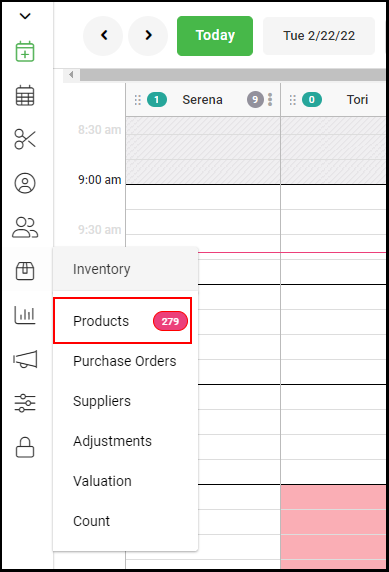
1. Select "Inventory" > "Products" on the left side navigation menu.
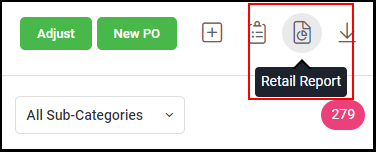
2. Select the "Retail Report" icon on the top right corner.
Click here for the video.
1. Select "Inventory" > "Products" on the left side navigation menu.
2. Select the "Retail Report" icon on the top right corner.