Learn how to set up your Supplier Profiles and how to add or adjust inventory on your Product List.
NOTE: Verify a supplier profile is created on the Supplier tab before proceeding with this article.
Click here for the video.
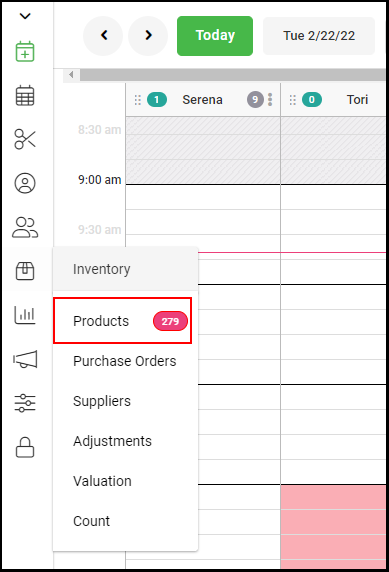
1. Go to "Inventory" > "Products".
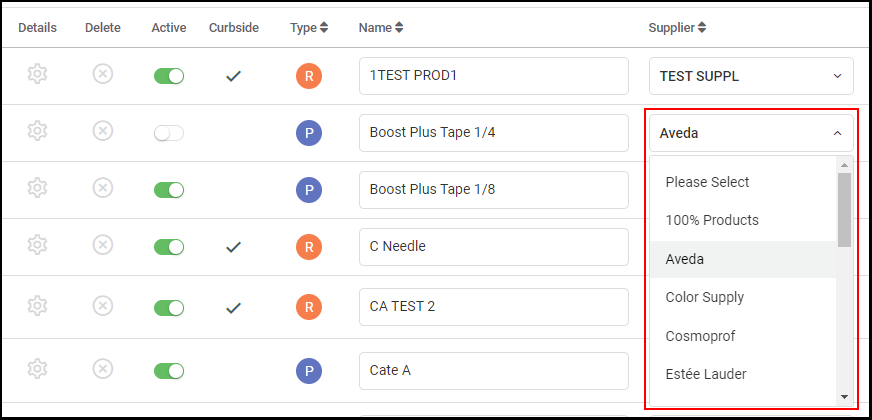
2. Locate the desired product and select the supplier from the dropdown menu.