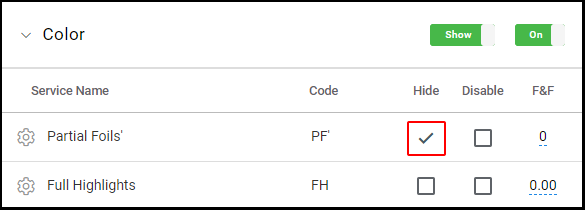
Owners and Managers can toggle between Hide and Show in the default service list.
1. In a service category
a. If the switch displays "Show", the category is shown in the client app and clients are able to book services in that category.

b. If the switch displays "Hide", the category is hidden in the client app and clients are not able to book services in that category.

2. On an individual service
a. If "Hide" is selected on an individual service, the service will be hidden in the client app and override a category switched to "Show".