We are excited to announce the following AURA Salonware System updates!
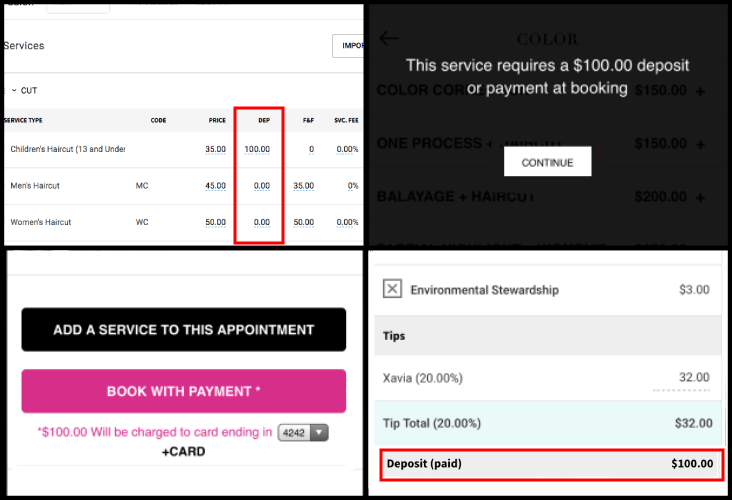
Deposits Can Be Required in Client App
Managers and Owners can set a deposit (dollar value) for each service in the default service list. The set deposit is required when clients book an appointment for that service in the Client App. The collected deposit display at the bottom of the open ticket screen.
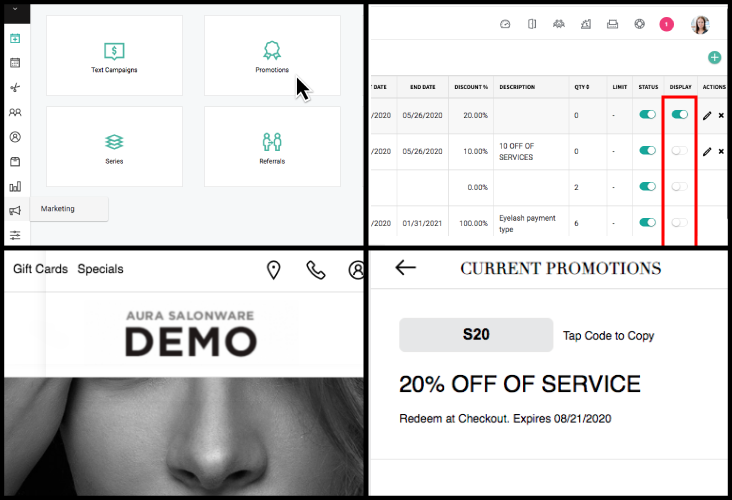
Promotions Can Display in Client App
Salons can choose display specific promotions in the Specials section of Client Application. Owners or Managers can go to Marketing > Promotions, and turn on/off the promotion using the toggle under the "Display" column.
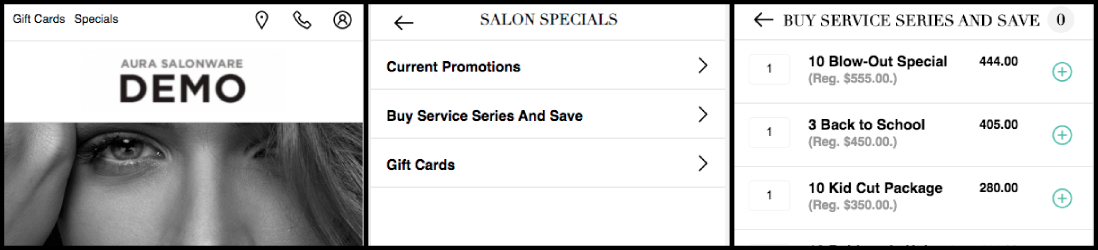
Series Can be Purchased in Client App
Clients can purchase Series in the Client App by selecting "Buy a Service Series and Save" under the Specials heading. All active series will display.
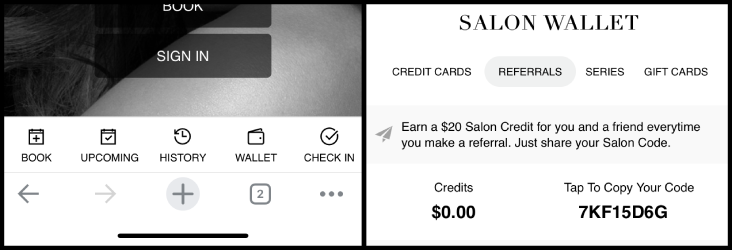
Wallet in Client App
The footer of Client Application has a shortcut to the Wallet.
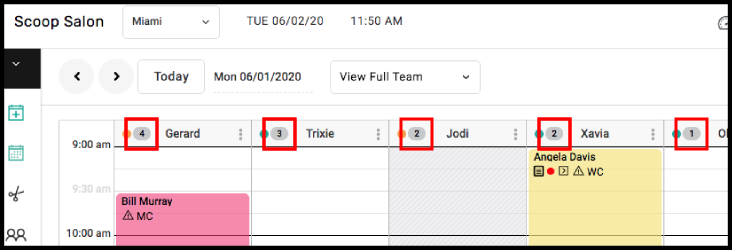
Calendar Shows Number of Clients per Provider
The Calendar shows the of clients that a provider has on their books for the selected date.
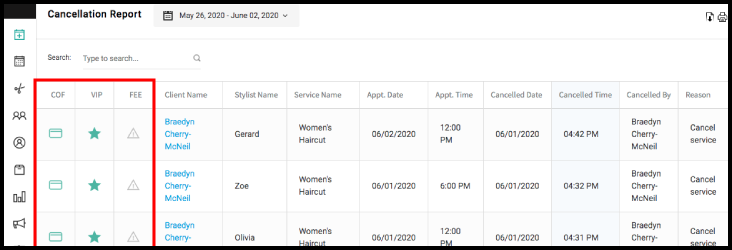
Cancellation Report Updates
The Cancellation Report has columns indicating card on file, VIP Client, and if the client should incur a cancellation fee.
For more information regarding these new features or live support, contact support@aurasalonware.com