We are excited to announce the following AURA Salonware system updates!
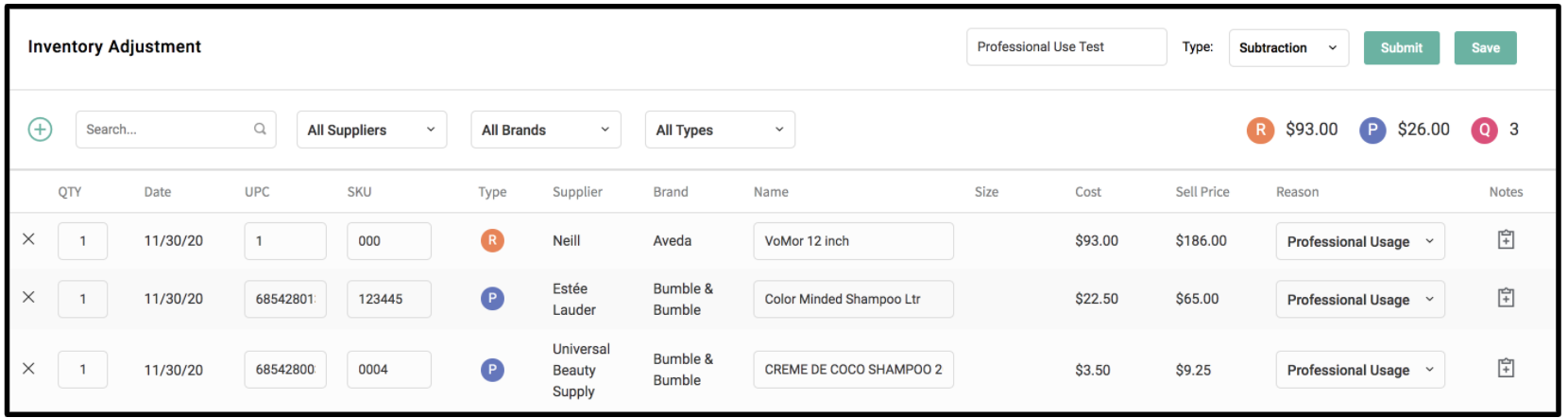
Inventory Adjustment
Owners and Managers can track all inventory adjustments, such as employee supply usage, as well as other inventory deductions and additions with the Inventory Adjustment Form. The inventory adjustment form can be accessed from the Adjustment Tab under Inventory. Owners can manage Front Desk employees' access to the adjustment form from the Access tab under Salon Settings. Click here for more information.
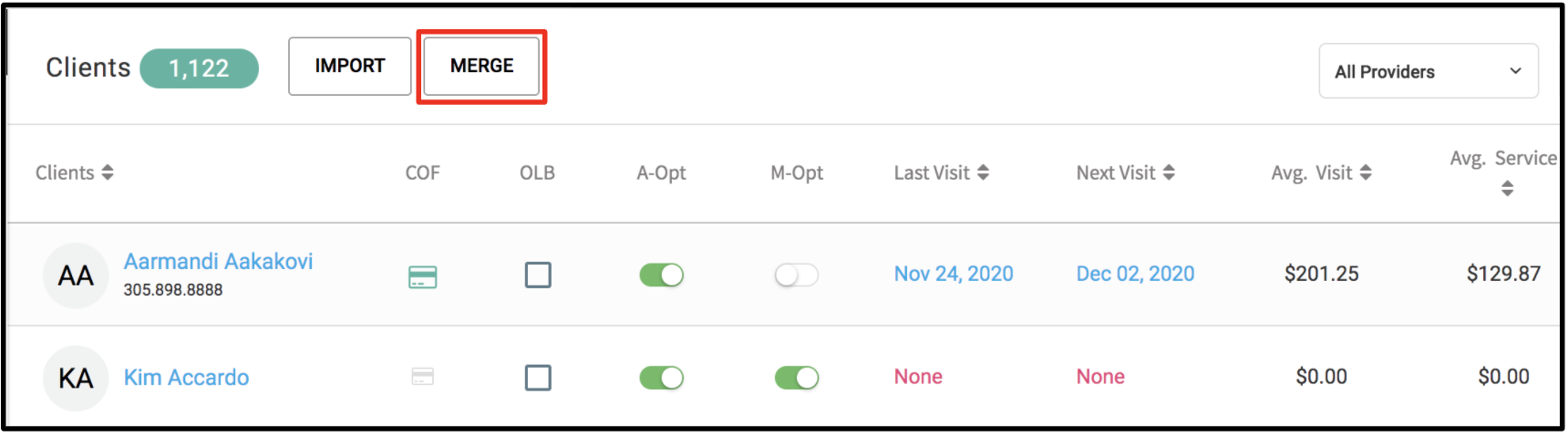
Merge Client Profiles
Merge client profiles from the Clients tab. Notes, Formulas, Appointments, Series, Gift Cards and Promo Cards will be combined when merged.
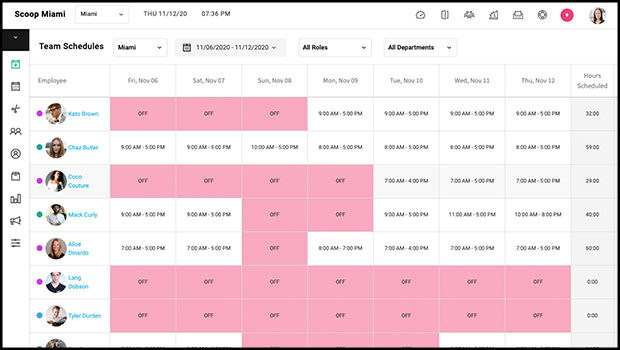
Team Schedule Report
Owners and Managers can view all of their employees’ scheduled hours for a specific date range. The report can be filtered by location, date, role, and department.
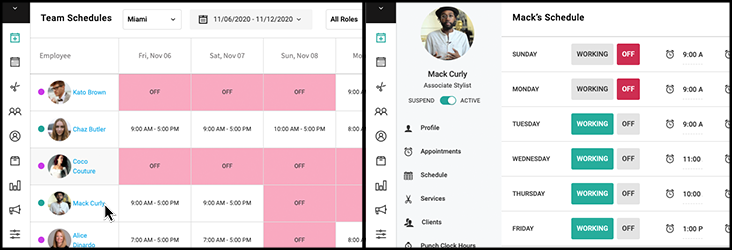
Select the employee’s name from the report to be redirected to the specific employee’s “Schedule” tab in the employee file.
Punch Clock Hours Report
Owners and Managers can view all of their employees’ hours worked for a specific date range based on when the employee punched in/out. The report can be filtered by location, date, role and department.
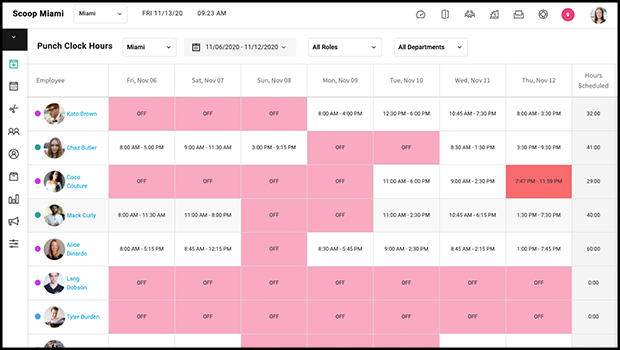
Select the Employee’s name to be redirected to the specific employee’s “Punch Clock Hours” tab in the employee file.
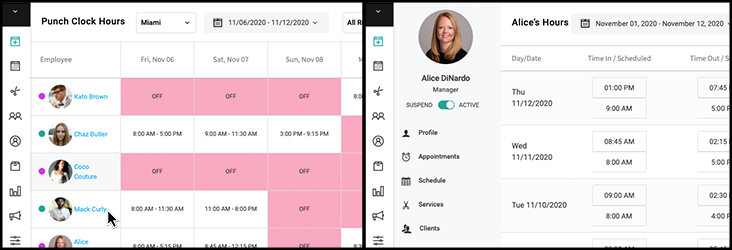
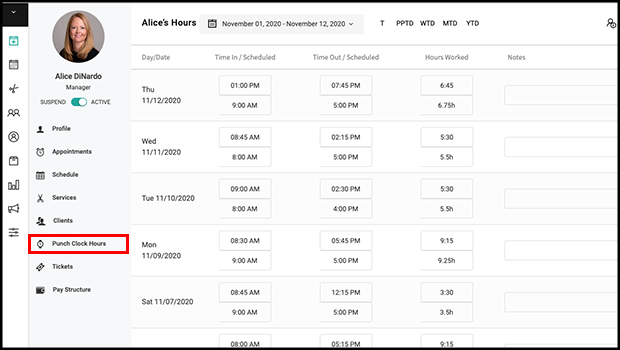
Employee File: Punch Clock Hours
“Hours Worked” has been renamed to “Punch Clock Hours.” The Punch Clock Hours tab includes the hours scheduled adjacent to the actual time punches.
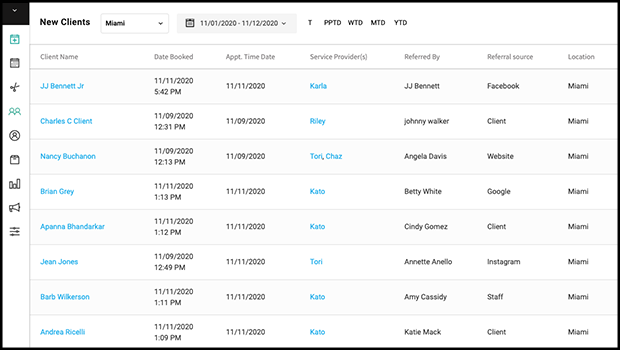
New Client Report
Keep track of your salon’s new clients, their referral source, and their requests using the New Client Report. This report can be filtered by date range or location and is accessible by Owners and Managers.
Manager Pay Structure Access
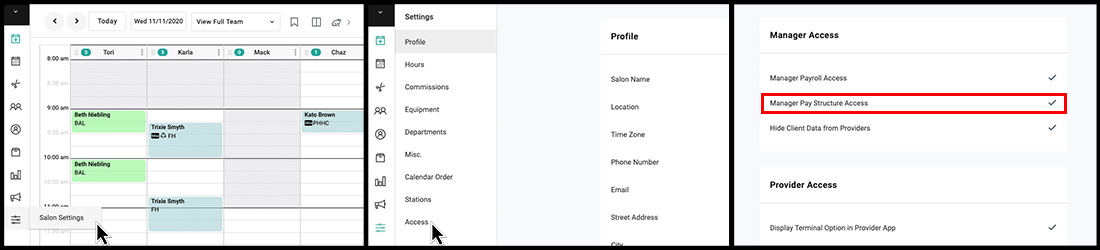
Owners can decide to allow or restrict their Managers from seeing the "Pay Structure" tab in the employee file from the Access tab under Salon Settings. If restricted, this tab is only accessible using owner credentials.
Deposit Report
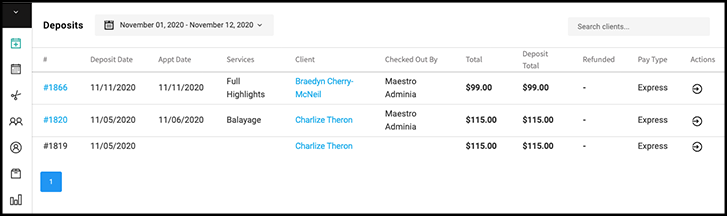
Owners and Managers can track and refund deposits from the Deposit Report.
Provider Access to Issue Promo Cards
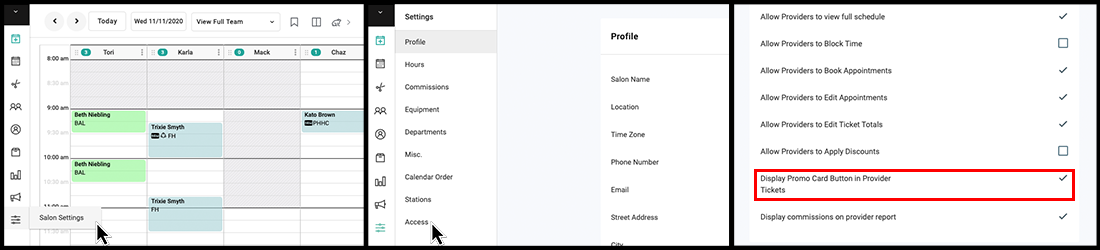
Owners can restrict their Providers from issuing Promo Cards on open tickets from the Access tab under Salon Settings.
Service Quantity in Tickets
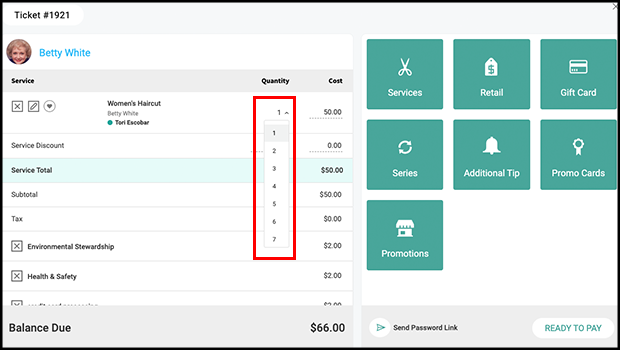
The quantity of a service on a ticket can be set from one to twenty.
Commission or Hourly Adjustment
Retail sales are no longer included when comparing commission and hourly on the Payroll report for employees that are set up with the pay structure: Commission or Hourly. Retail commission is added to the total at the end.

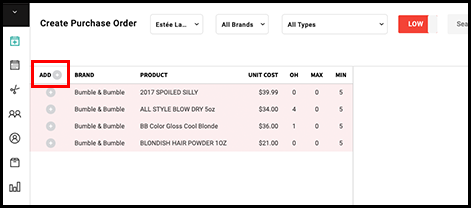
Purchase Order: Add All
Add all products on the left side of the purchase order screen to the purchase order with one click using the “Add” option on a purchase order.
Online Gift Card Alert
When a gift card is purchased online, the salon will receive a copy of the online gift card instead of the receipt via email. The alert will be sent to the email entered on the Misc. Tab under Salon Settings.
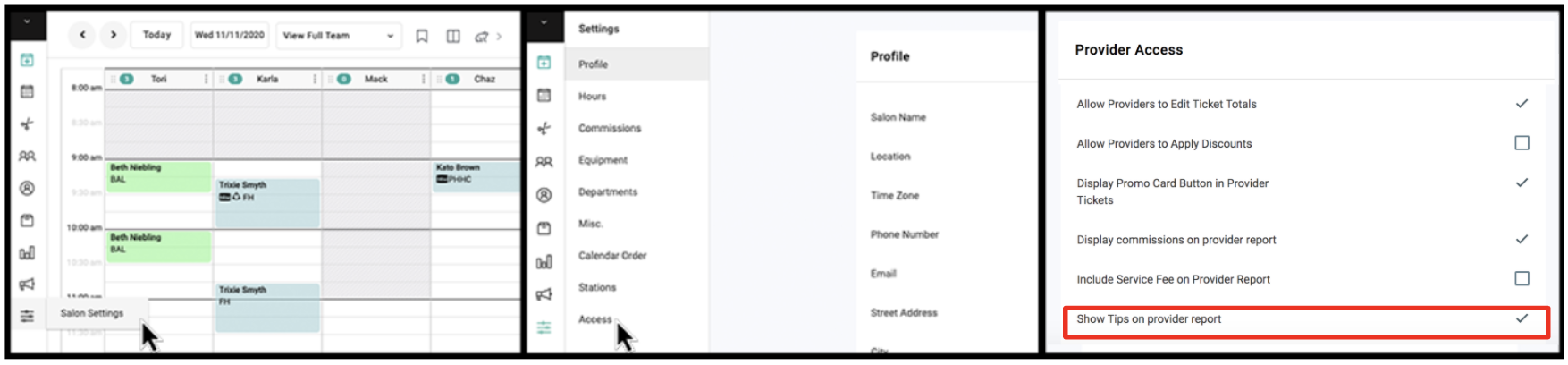
Show Tips on Provider Report
Owners can show or hide a tip breakdown on the Provider Report from the Access tab under Salon Settings
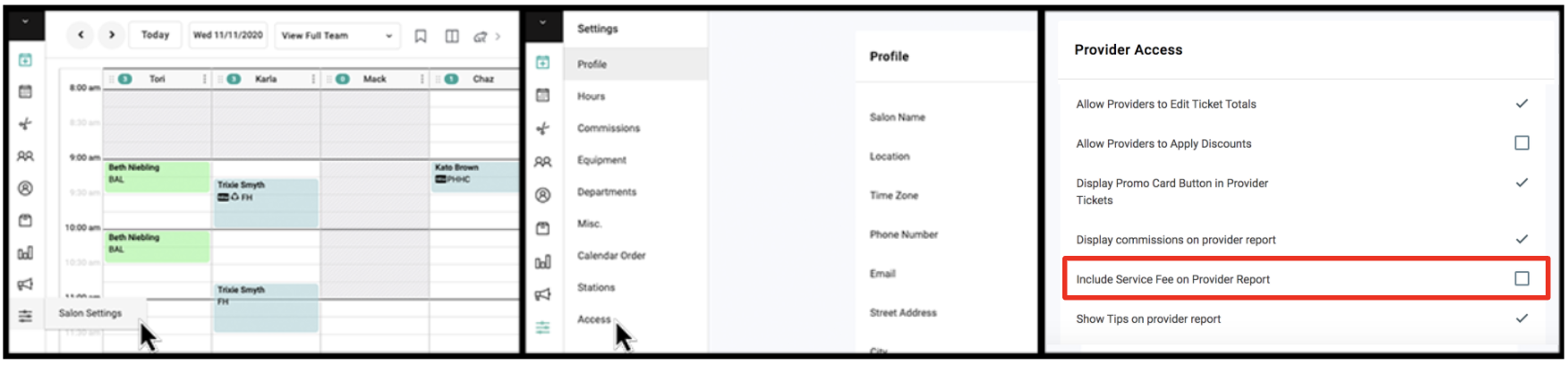
Deduct Service Fee on Provider Report
Owners can include or deduct service fees from each service total on the provider report
Dashboard Updates
The following calculations have been added to the dashboard
- Average Sales Per Client
- Average Services Per Client
- Average Product Per Client
- Average Service per Service Ticket
- Average Retail per Retail Ticket
- Average Retail per Service Ticket