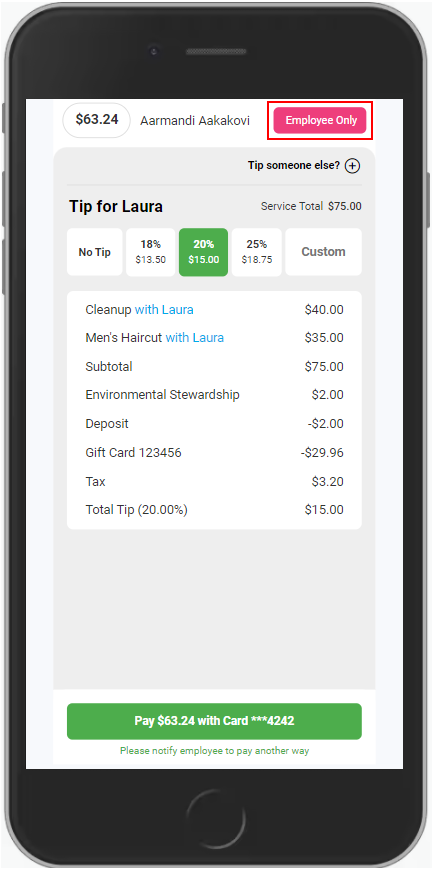
Flip & Tip was created for added privacy and convenience for salon customers when checking out and adding a tip via card. Flip & Tip is compatible via Mobile and Tablet.
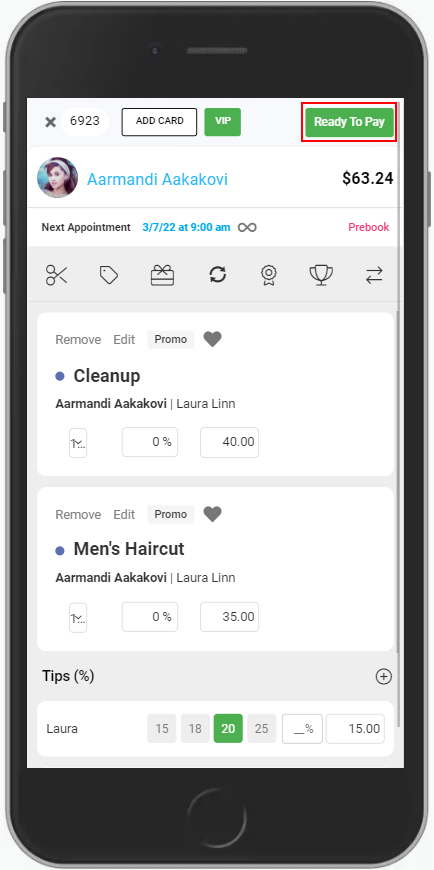
1. When checking out on mobile or tablet, select "Ready to Pay".
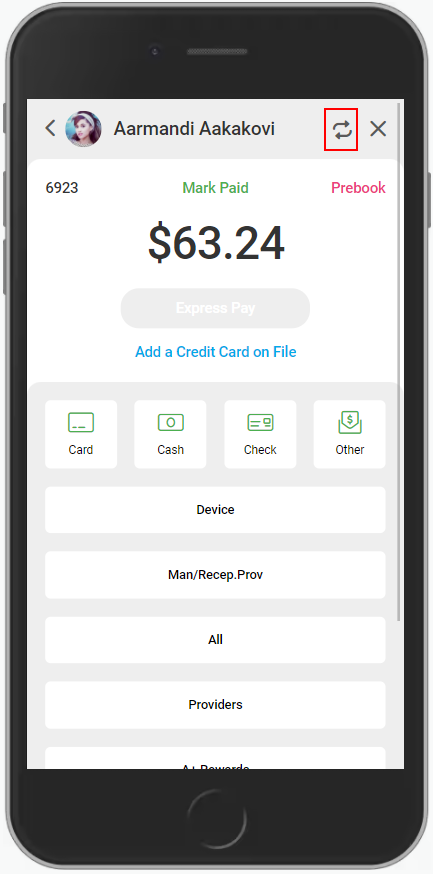
2. Instead of asking the client how much they would like to tip on their card, select the 'Flip & Tip' icon.
3. Hand the client the mobile device or tablet and they will have the ability to discretely leave a tip for their service provider. They have the option of choosing a percentage of 18%, 20%, or 25%, adding a custom tip amount, or adding no tip.
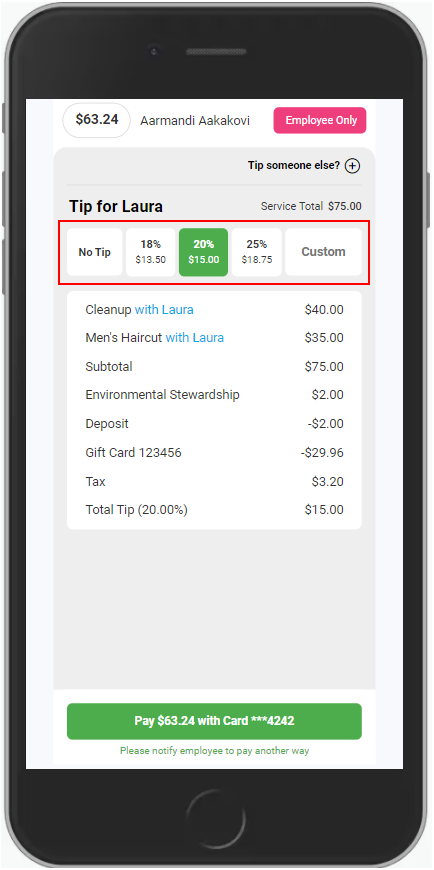
4. If the client wishes to pay with the card on file, they will then select "Pay with Card" and the transaction will be complete.
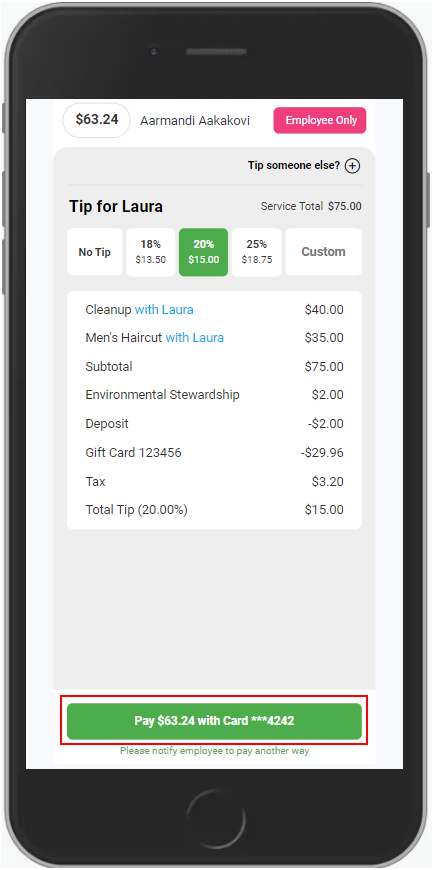
5. If the client would prefer to use another pay type, tap "Employee Only" after the tip is selected and employee will complete the transaction as usual with the tip added.