Note: Due to credit card regulations, any transaction that involves a debit card cannot be voided. The transaction will need to be refunded the following day.
Note: Please note that you may refund a split transaction to one or multiple credit cards using the terminal. However, if the split transaction included express pay, you may only refund the card on file up to the amount that was originally collected on the card due to policies with Authorize. The remaining balance will need to be refunded to a different pay type.
Note: You may only refund a split payment to pay types that were used in the original sale.
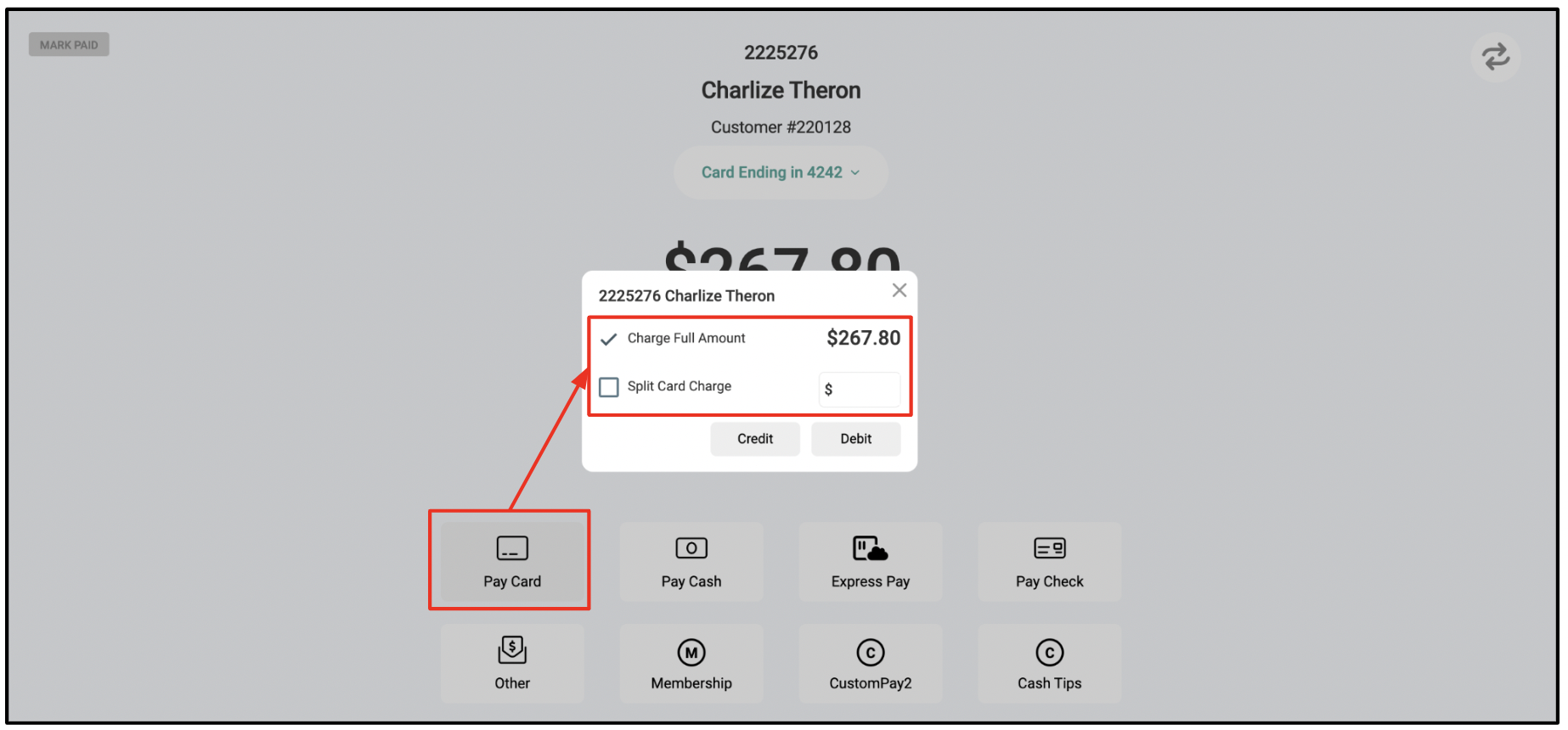
1. On the Ready to Pay screen, Click "Pay Card"
2. Select checkbox next to Charge Full Amount if collecting the full payment on one credit card OR select Split Card Charge if the payment will be collected on multiple cards or pay types.
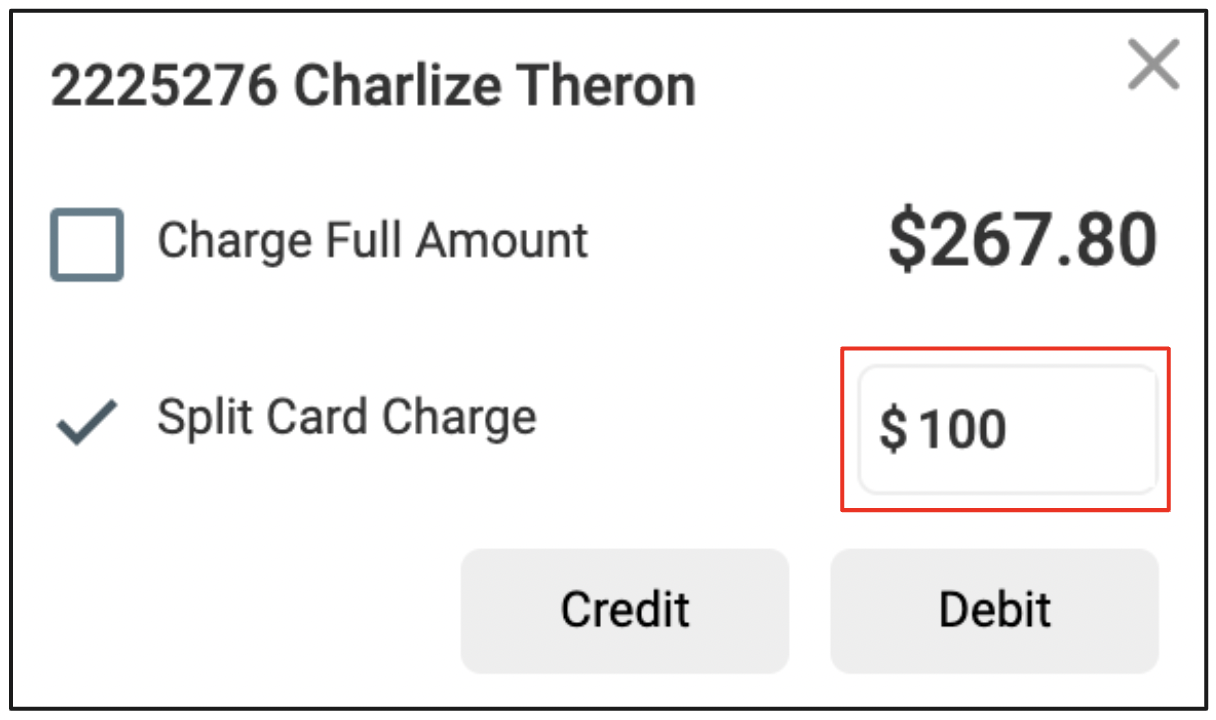
3. If you choose Split Card Charge, enter the amount you want to collect on the first card.
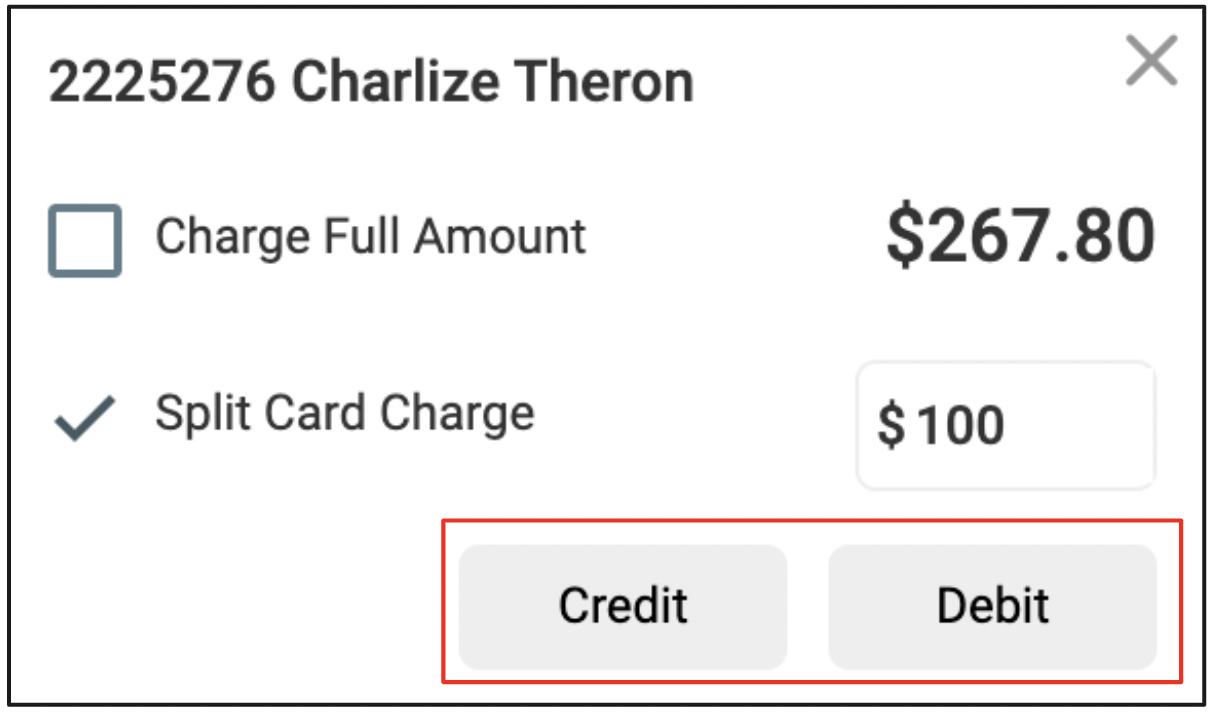
4. Choose card type - Credit or Debit. Once you choose the pay type, Aura will automatically communicate with your terminal to complete the first sale.
Note: Any transaction involving a debit card cannot be voided. If a debit card is used and requires a refund, please use the refund function the following day.
5. Once the first payment is complete, the balance due on the Ready to Pay screen will automatically update. Then you are ready to collect your next payment.
If splitting with another credit card on the terminal, repeat steps 1-4. You may also split a payment with Cash, Check, Express Pay, Other and any Custom Pay Type.