Aura Salonware will be releasing the following system updates on August 31, 2022
System updates include, but are not limited to...
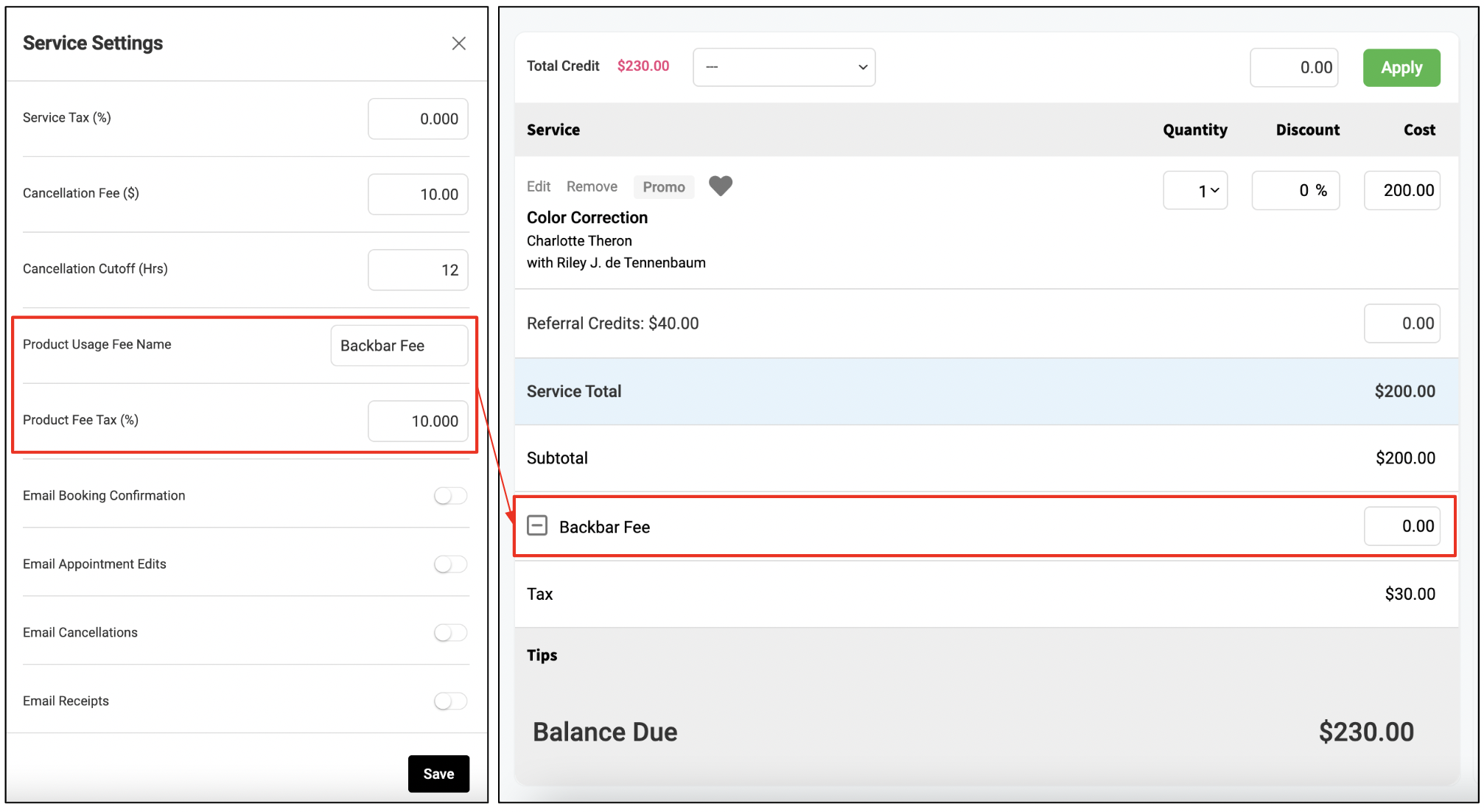
Product Usage Fee
Assign a product fee to specific services that you would like to collect on tickets to cover backbar usage. The fee will automatically populate on designated service tickets and display accordingly on the client receipt and reporting. See how the feature works here.
Watch our Salon Owner Round Table with SalonScale Founder, Alicia Soulier, to learn more about how Aura x SalonScale are working together to empower salons of all types to weigh, charge, track, and order all costs of goods used at appointments, providing salons with an easy way to ensure color, extensions, and other back bar supplies are accurately accounted for in your business. If you are interested in learning more about SalonScale, please contact your Aura Account Manager.
Online Booking Descriptions
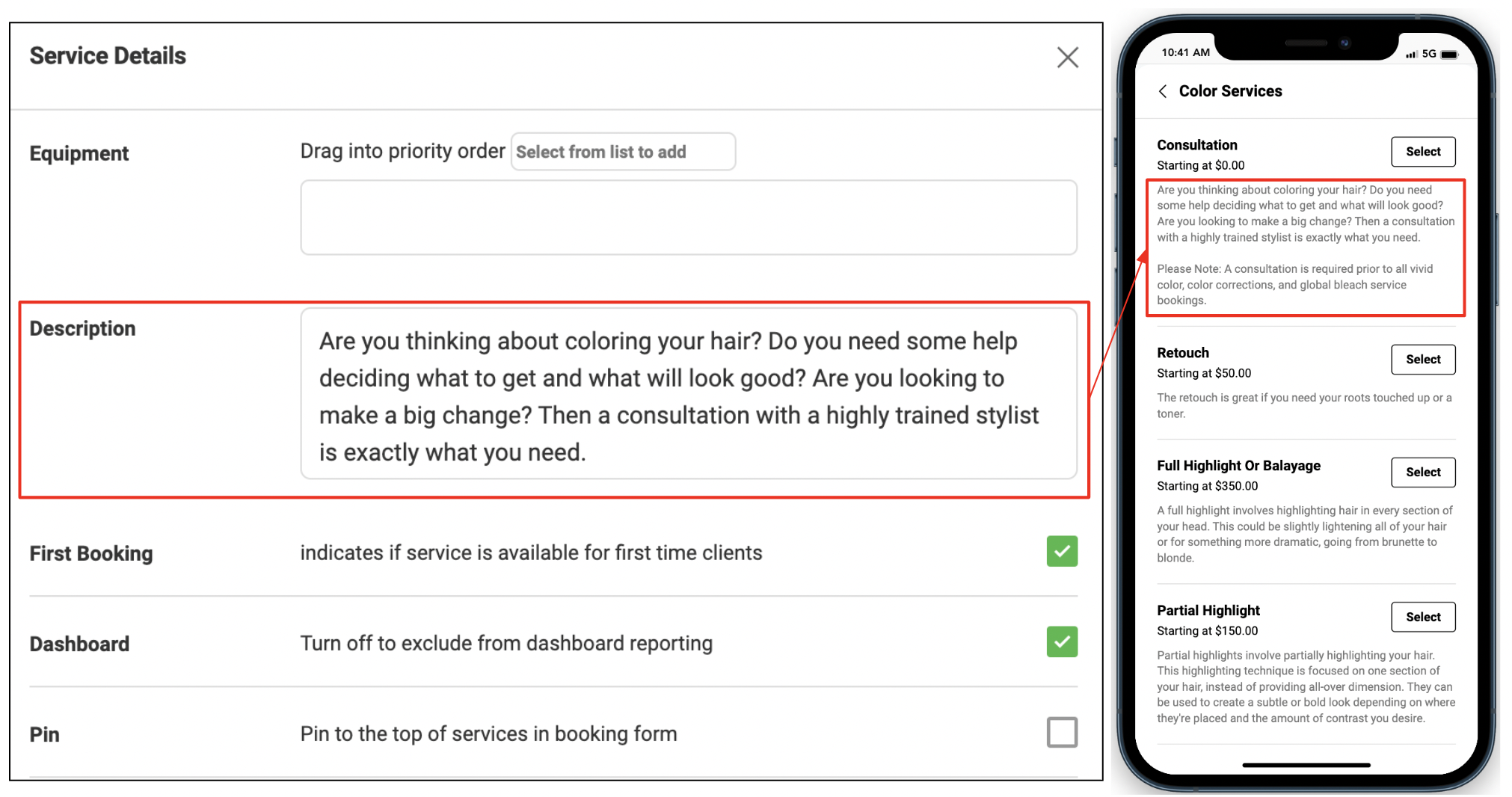
Add service descriptions that will display for guests when booking a service online. Simply navigate to your service tab, tap the gear icon next to the service name and enter the service description in the Description field.
Mark Specific Two-Way Texts as Important
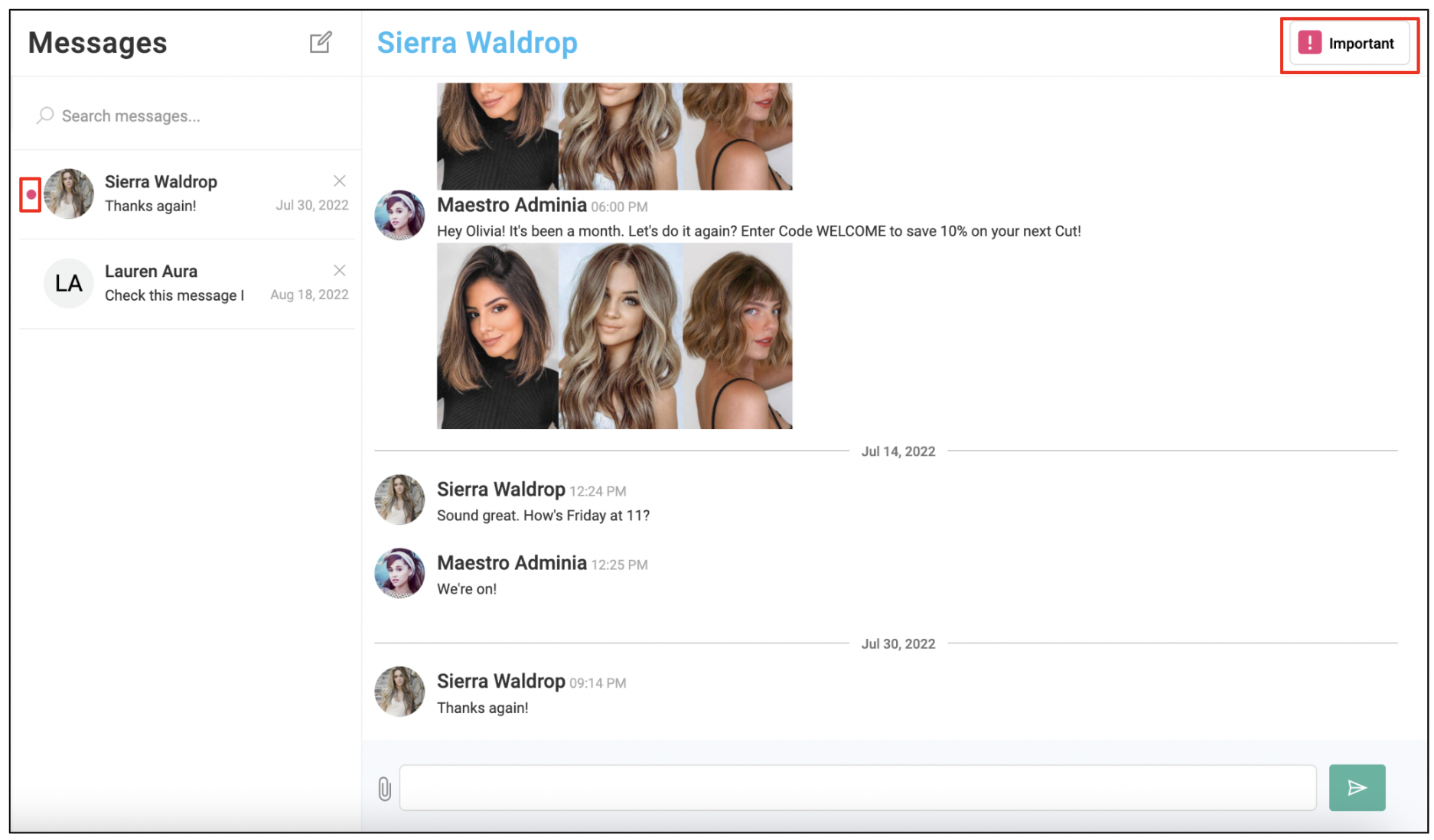
Tag a conversation as "Important" by clicking the Important button located on the top right corner of the conversation. Once tagged, a red circle will display next to the client's name to designate that the conversation requires follow up. To remove the important tag, tap the "Important" button again.
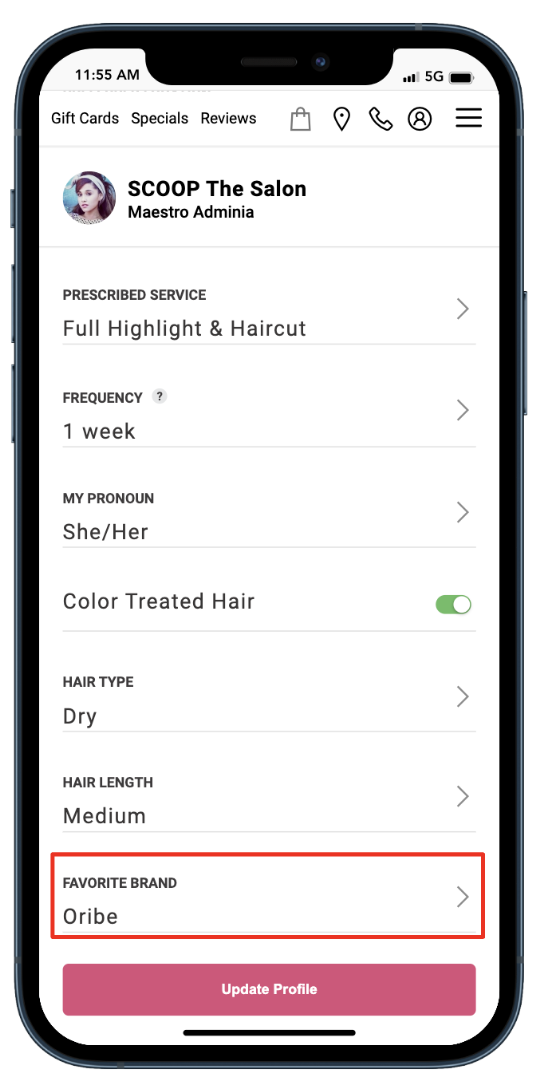
Client App: Favorite Brands
The favorite brands dropdown in the client's profile has been updated to only display brands that are available in your salon's inventory.
Client App: Pronouns
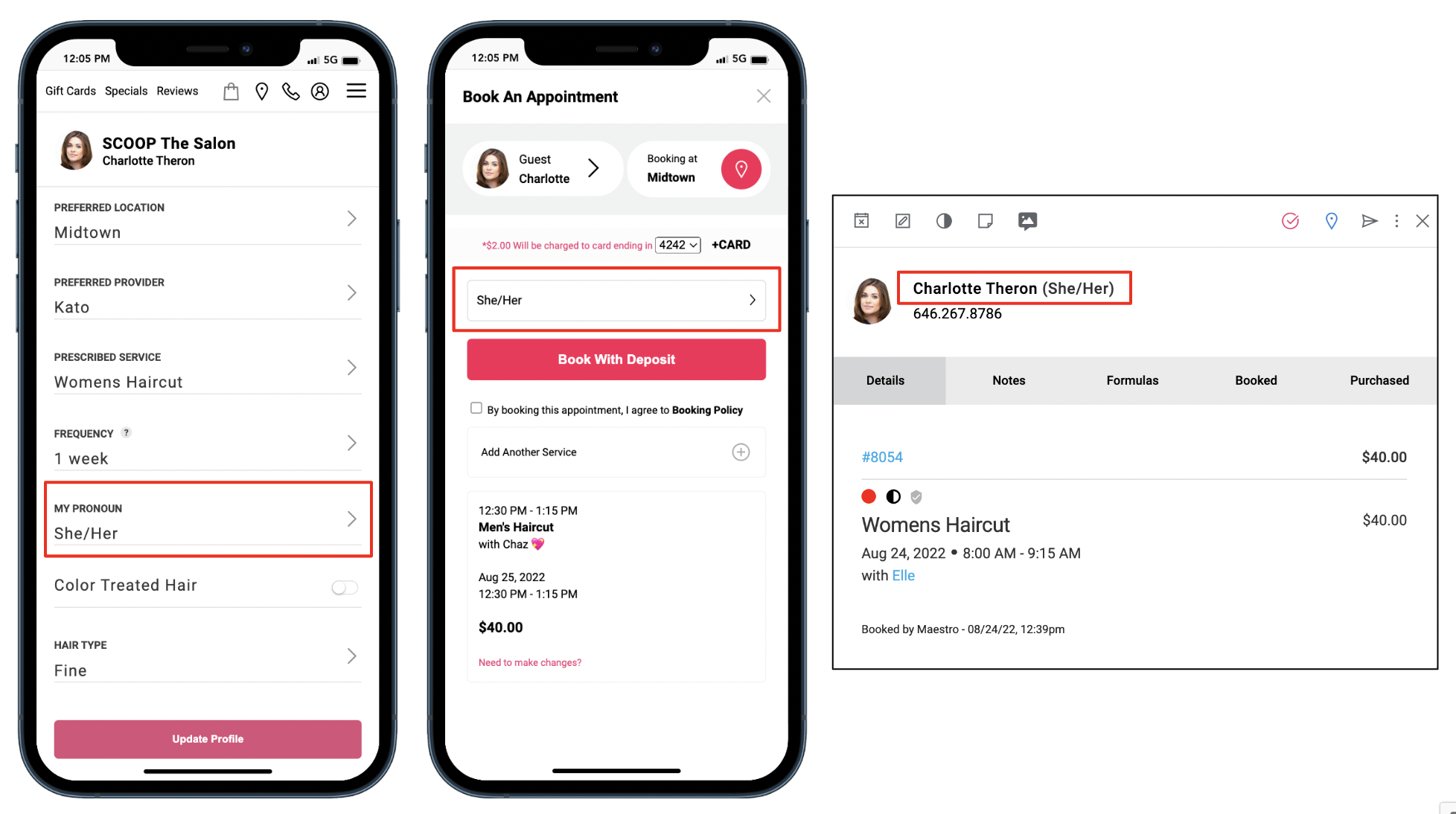
Allow clients to select pronouns when registering for an online account and/or while booking an appointment online. To set this up, navigate to Settings > Clients > Client app, and check the box for "Display Pronoun Selector for Online Booking". The client's pronouns display on the appointment details window.
Client Receipts Customization
Salons can now make various customizations to their Aura receipt, including:
- Customize the header image
- Include a customized message
- Hide/Show the Book Online button
To modify these setting, navigate to Settings > Payments > Receipts.
Business Receipts Update
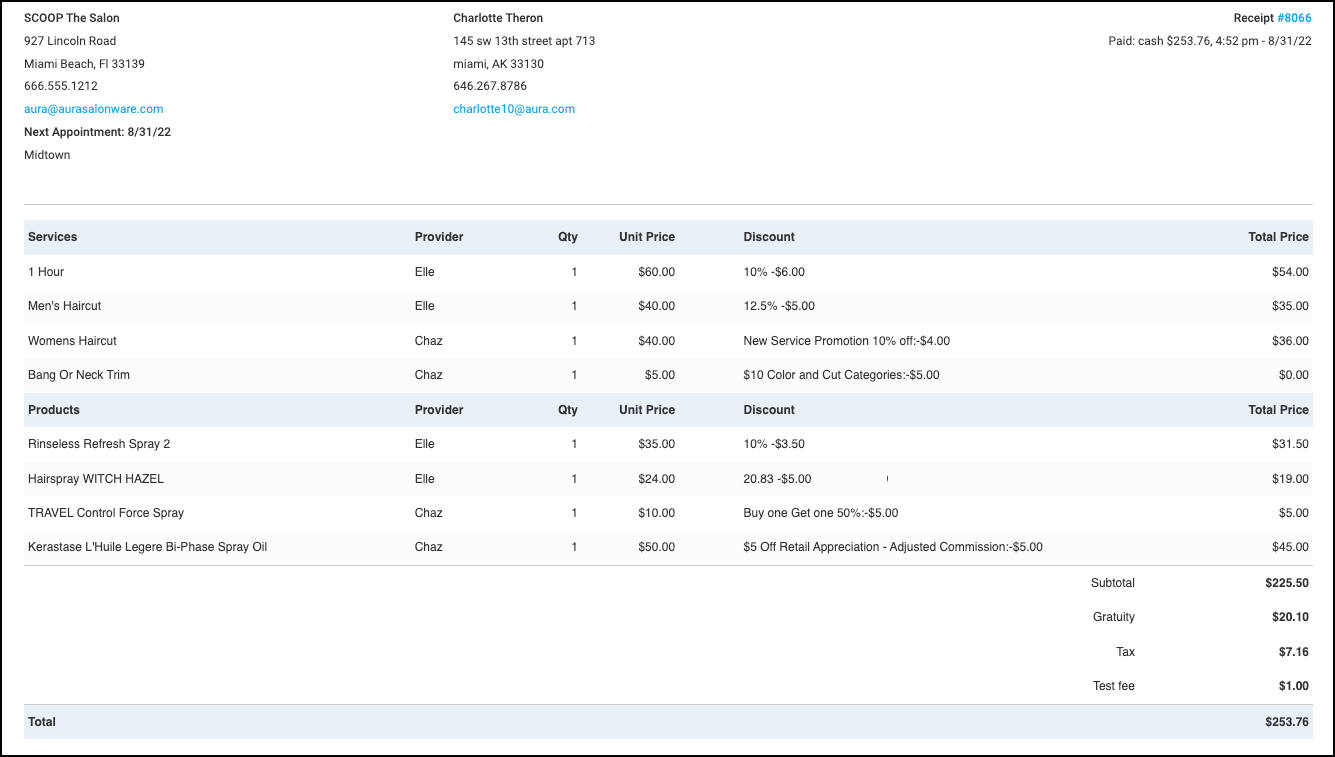
Receipts viewed in the business's instance now include:
1. Provider name for retail purchases
2. Discounts and promotions for each line item
3. The Net (total after discounts and promotion) total for the line item
4. Amount remaining after a refund of exchange
5. The ticket number links to the Employee Action Report for specifically for that ticket
Book Confirmation Email
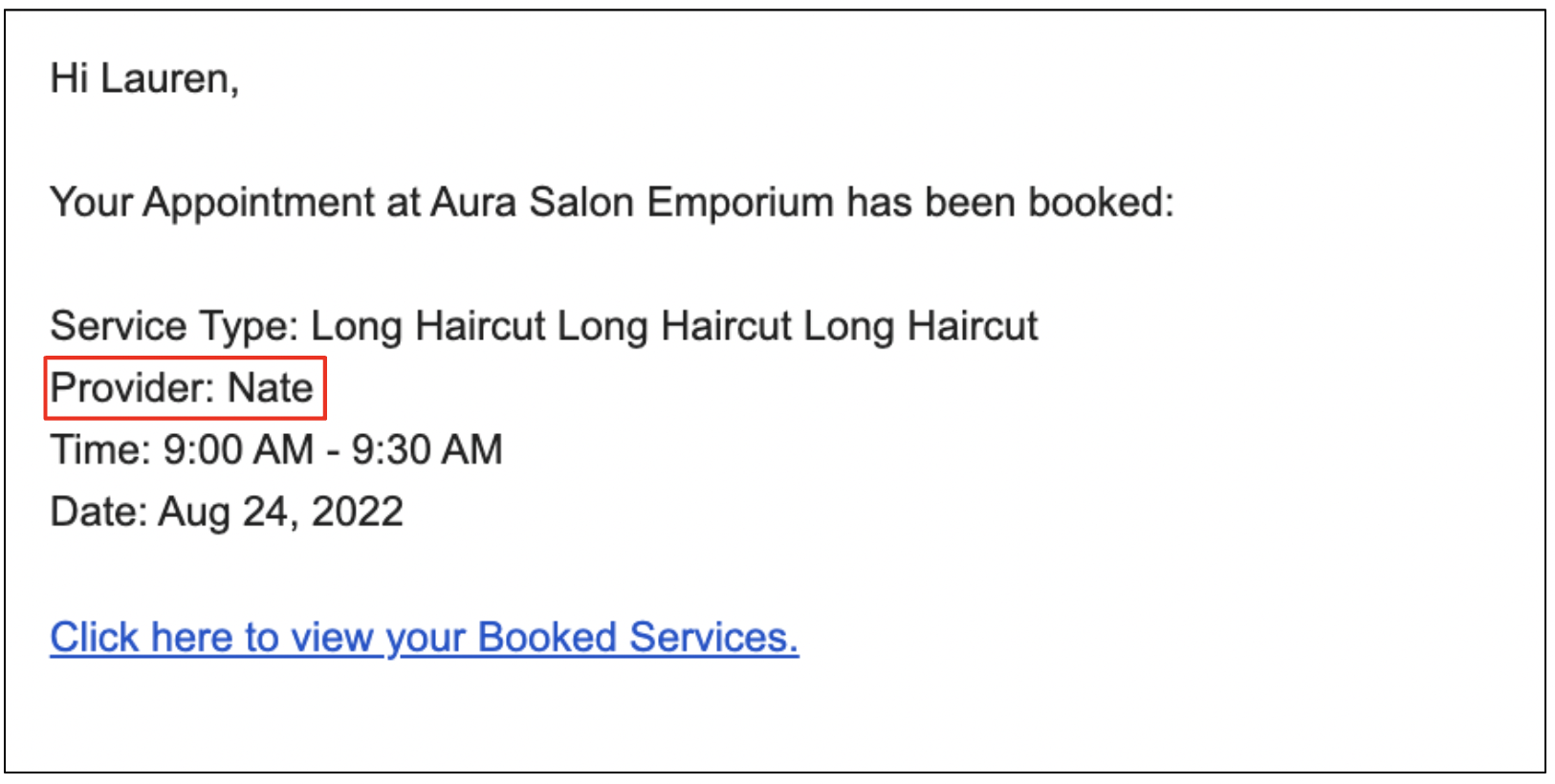
"Stylist" is changed to "Provider" on the booking confirmation email to accommodate all service providers.