We are excited to announce the following AURA Salonware system updates!
Merge Tickets
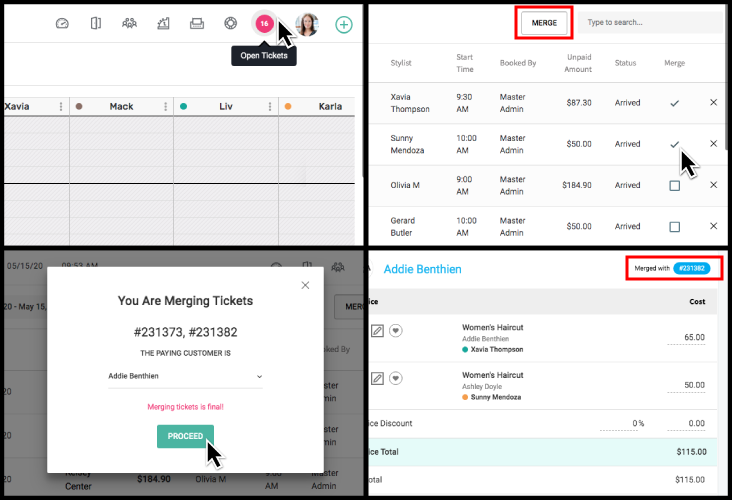
Open tickets can be merged with each other by navigating to Open Tickets and selecting the tickets to be merged. Learn how it works.
Frequency Alert
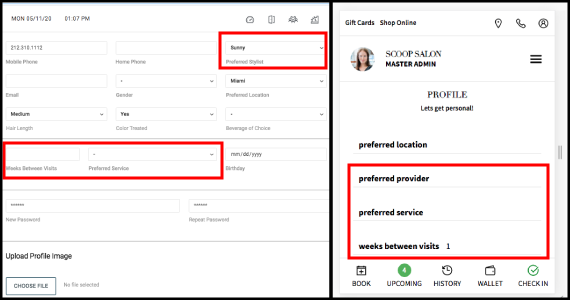
Clients and Salon Staff can set a Preferred Service, Preferred Provider, and Weeks Between Visits on the client profile.
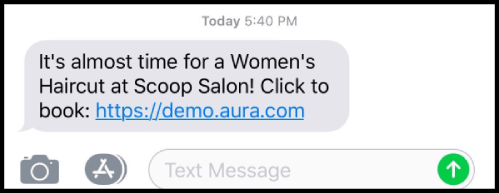
If the client has not booked their Preferred Service, an automated SMS reminder is sent to the client one week before their recommended appointment date based on provider prescribed frequency. This function can be used to retain clients, create a scheduled routine, and generate revenue.
Client Modal Update
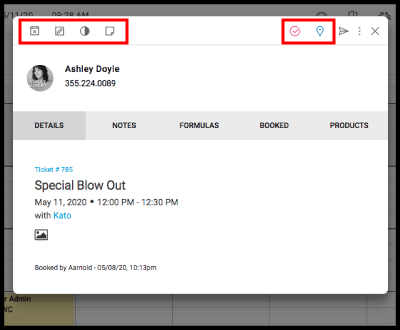
Click anywhere on the appointment to bring up the client info and appointment options.
Multi-Service Booking Form Updates
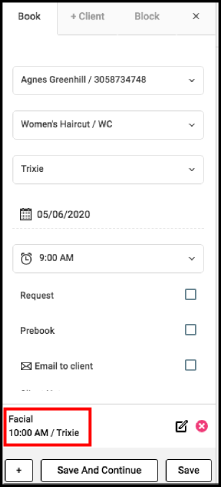
When adding a second service, the start time and provider of the first service display at the bottom of the booking form.
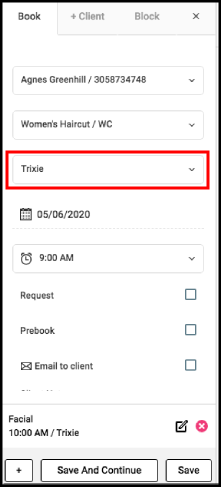
The Provider field for the second service defaults to the Provider of the first service.
Sort Client List
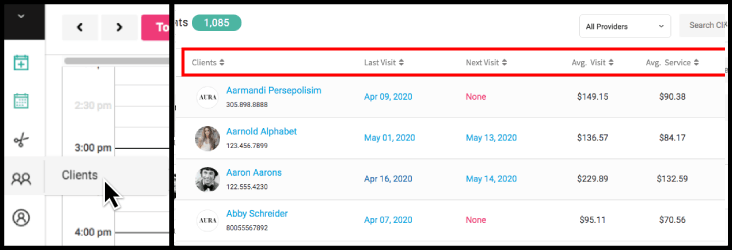
Owners, Managers, and Reception can sort the client list by the Retail, Service, Next Visit, and Last Visit columns on the Desktop View. Providers can sort the client list by these columns if “Hide Client Data from Providers” in Salon Settings is disabled.
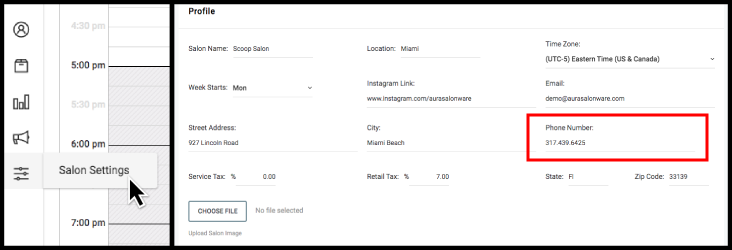
Salon Phone Number on Profile
Owners and Managers can update the Salon’s phone number from the Salon Profile under Salon Settings. The entered phone number is reflected on the contact page of the client application.
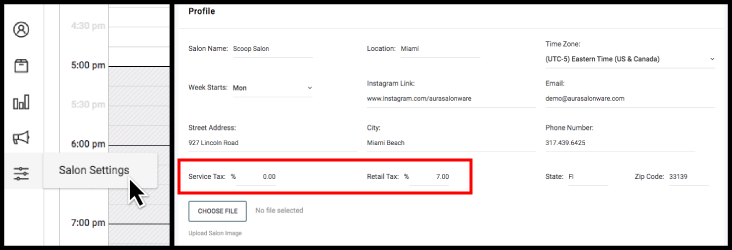
Customize Service and Retail Tax on Profile
Owners and Managers can set the Retail and Service tax settings on the Salon Profile under Salon Settings.
Update Salon Logo on Profile
Owners and Managers can upload the business logo from the Salon Profile under Salon Settings. The logo displays on the login screen of the guest application and admin application. The logo's width should be 280px and the logo's height should be 85px.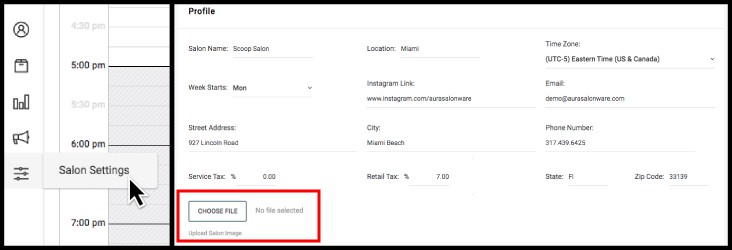
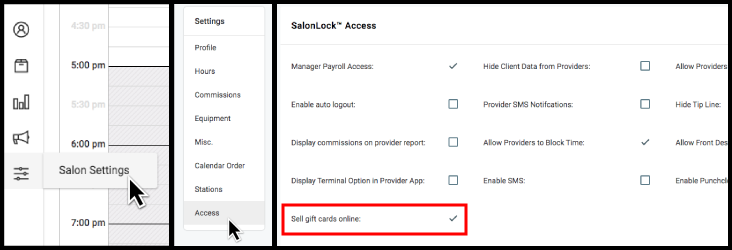
SalonLockTM Access: Sell Gift Cards Online
Owners can enable or disable online Gift Card sales by Clients by going to the SalonLockTM Access tab under Salon Settings.
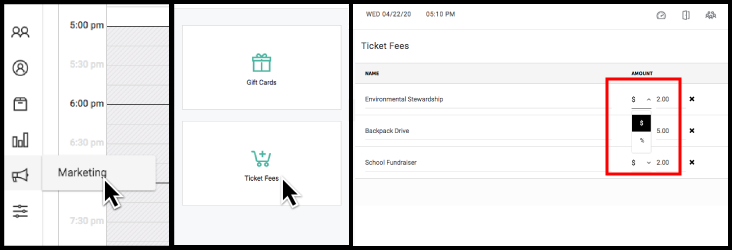
Custom Fee Update
Owners and Managers can set custom ticket fees as a percentage of service total or as a set dollar amount from the Ticket Fees page under Marketing. These fees are applied to each ticket.
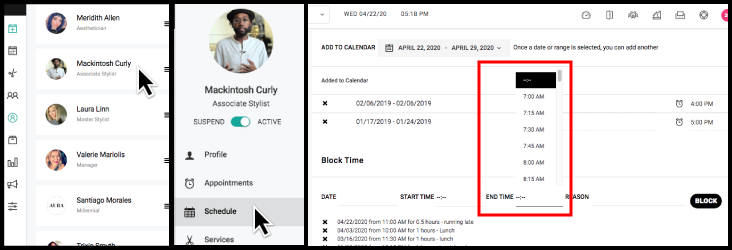
Employee Block Update
Owners and Managers can now select the end time of a block from the Schedule Tab under the Employee File.
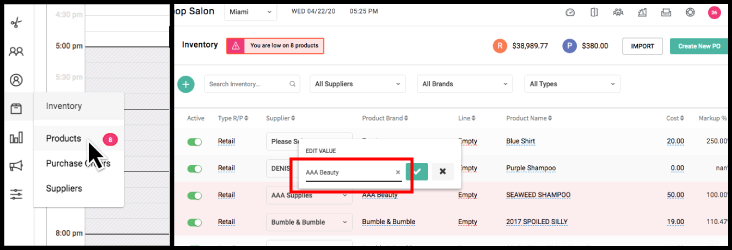
Inventory Edit Update
When Managers or Owners edit inventory fields, the editing box auto-fills with the existing product information from the respective field.
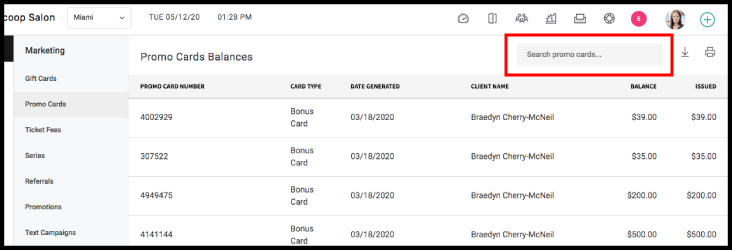
Search Promo Cards By Client
Owners, Managers and Reception staff can use the search bar on the top right of the Promo Cards Page to filter the outstanding promo card list by client name.