We are excited to announce the following AURA Salonware System updates!
SENT: Custom MMS Campaigns
Owners and Managers can create and send custom MMS campaigns to their clients with SENT by AURA Salonware. Filter by Appointment Dates, Providers, Services, Products, and Hair Type to target the desired audience. The campaign can be created and sent immediately or scheduled for future date. See details here.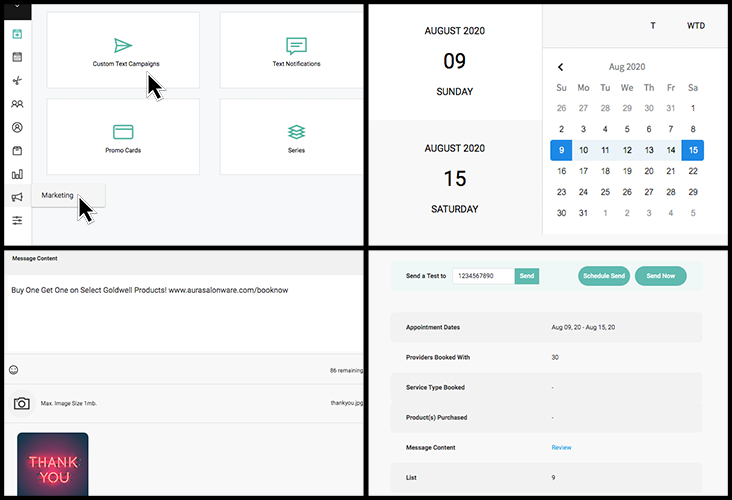
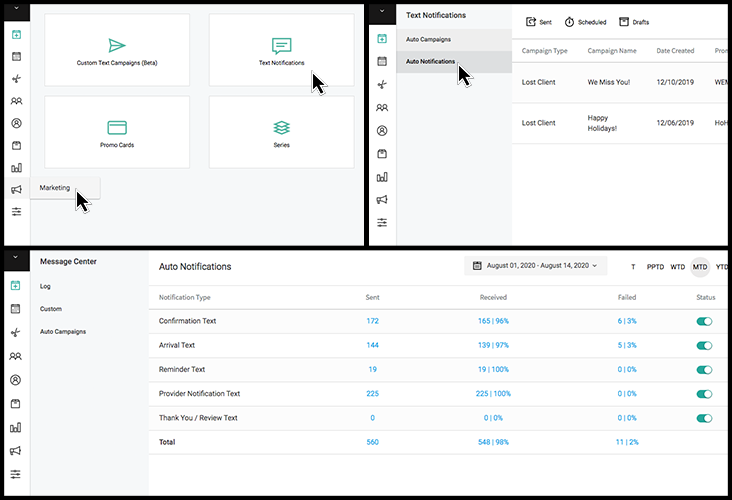
Auto Notifications
Owners and Manager may turn on and off all automatic SMS notifications, such as Confirmation Messages. See which messages were sent, received, or failed for the set time period, as well as the client associated with the message. Learn more here.
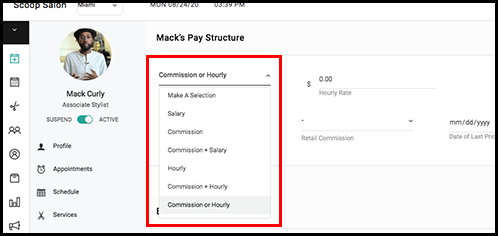
Commission or Hourly
An Owner or Manager may assign an employee's pay-type to Commission or Hourly in order for the employee to be paid whichever amount is greater for the pay period. The "Total" column on the payroll report will automatically list the option that is greater.
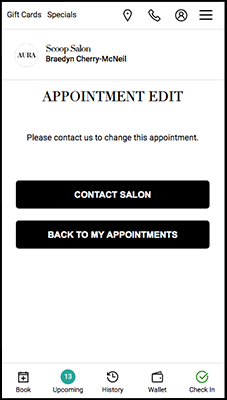
Rescheduling in Client Application
The client application does not allow the client to re-schedule an appointment within the cancellation cut off period.
Online Booking Restriction
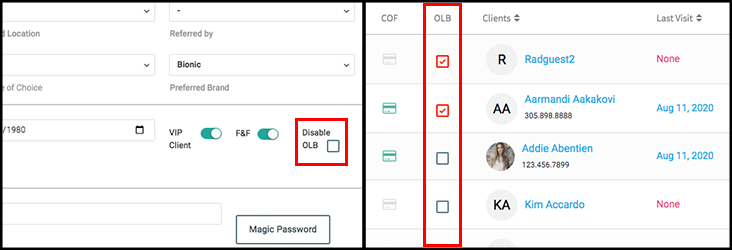
Owners, Managers and Reception can ban clients from booking online by selecting the OLB checkbox in the main client list or in the client file.
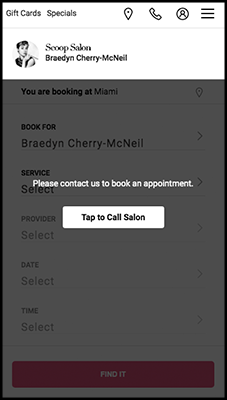
With Online Booking disabled, the client can sign into their account but cannot book or reschedule an appointment.
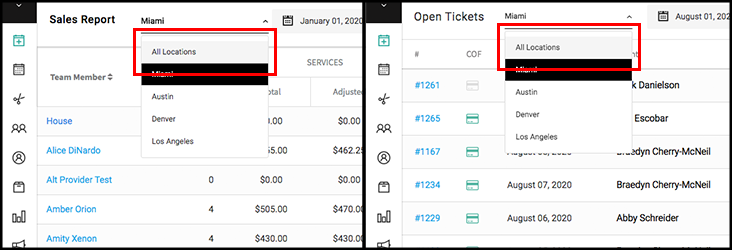
View All Locations
The Petty Cash, Void, Refund, Open Ticket, Sales, Service, Retail, Payroll, Employee Sales Breakdown, and Cancellation Reports can be viewed by a single location or by all locations.
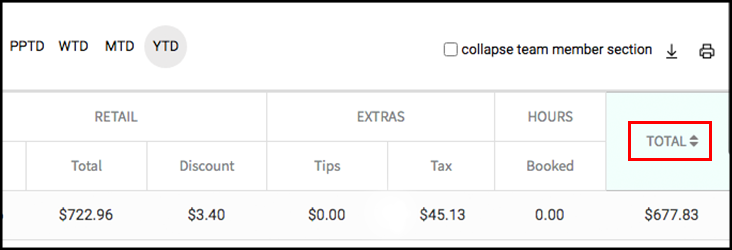
Sort by Total Sales
Sort team members by their Total Sales in the Sales Report.
Revenue per Square Foot
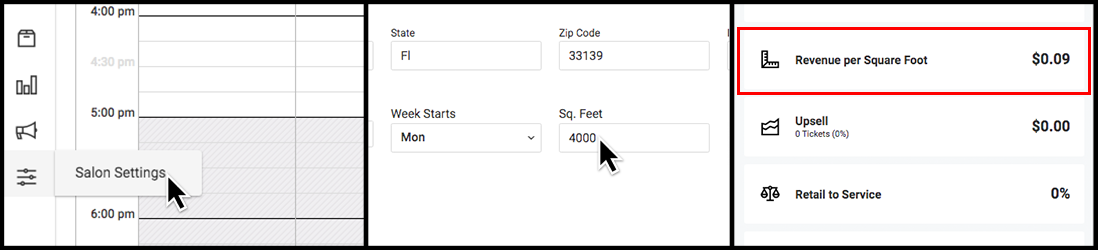
View Revenue per Square Foot within the Dashboard after a Manager or Owner inputs an amount for Square Feet within Salon Settings.
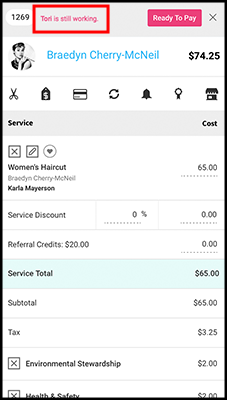
Working on Ticket Notification
The mobile provider application warns the user when someone else is working on the ticket.
Drag to Reorder
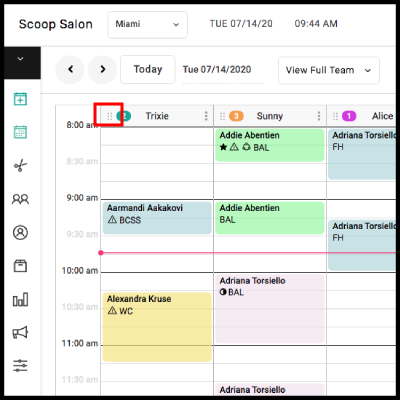
Providers can be temporarily re-ordered on the calendar so that staff can compare schedules side-by-side. The six dots adjacent to a provider's name may be selected and then dragged to temporarily re-order the calendar. The order changes will only save while the current user is logged in. It will not affect the primary calendar order or other users' calendar views.
Departmentalized Business Updates
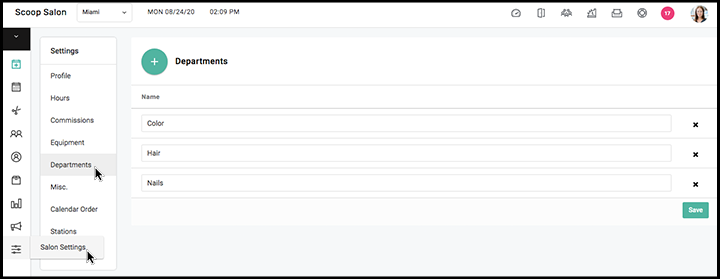
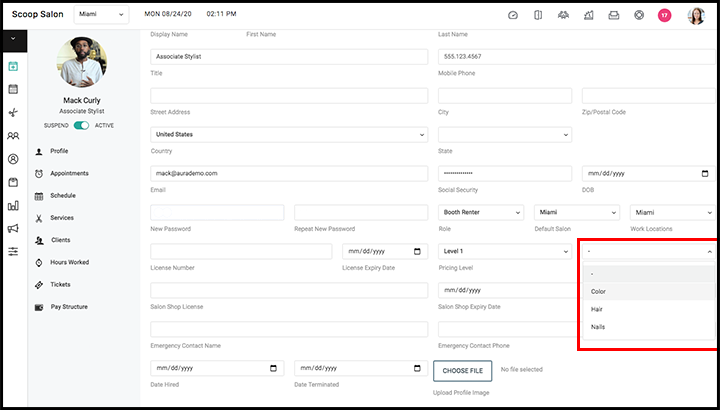
Owners and Managers can create departments in Salon Settings > Access.
A department can be assigned to an employee by an Owner or Manager in their Employee File.
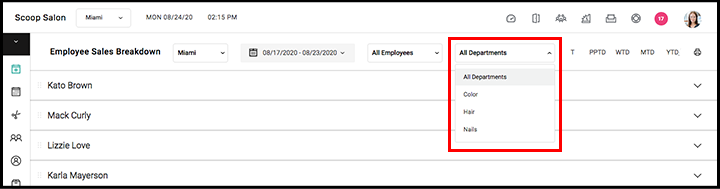
Reports can be filtered by department.
Suggested Product and Service Add On
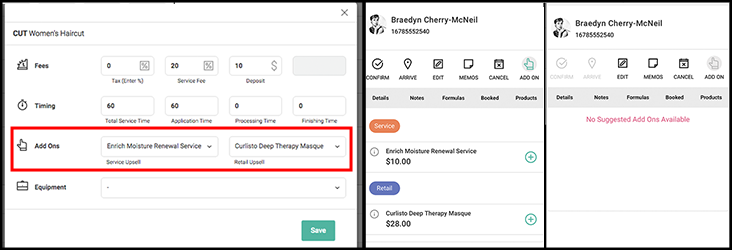
Manager and Owners can assign a product and a service as suggested add ons from the Settings popup under Services. All employees can then apply the add on to an open ticket via the modal.
See Client History for All Locations
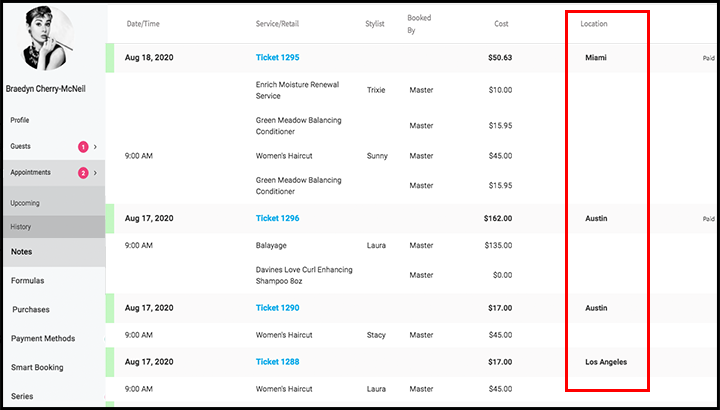
Client history in the Client File shows service history for all locations.
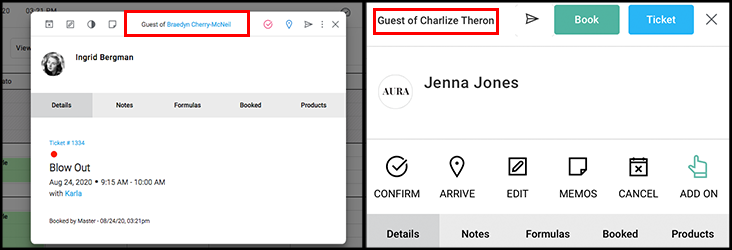
Modal Shows Main Account Holder
The modal shows the main account holder for guest accounts.
Multi-Location Series
Series can be redeemed at any location regardless of where the series was purchased.