We are excited to announce the following AURA Salonware System updates!
Social Buddy
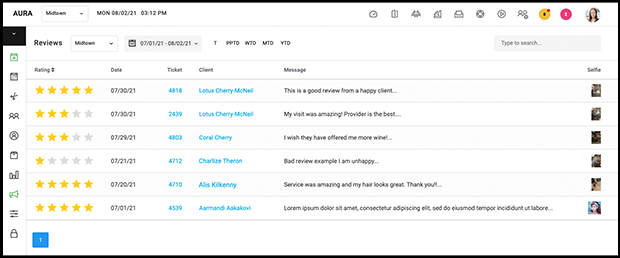
After Owners and Managers enable Social Buddy on a desktop computer by going to Marketing > Auto-Notifications > Settings, clients receive an SMS after their visit that asks them to leave a review within AURA. This SMS replaces the Thank You SMS for businesses that have enabled it. All reviews are compiled in Marketing > Reviews. 4-5 star reviews are prompted to leave the review on Google or Facebook, and 1-3 star reviews are filtered internally for the salon staff to address. Learn more here
Appointment Alerts for Providers
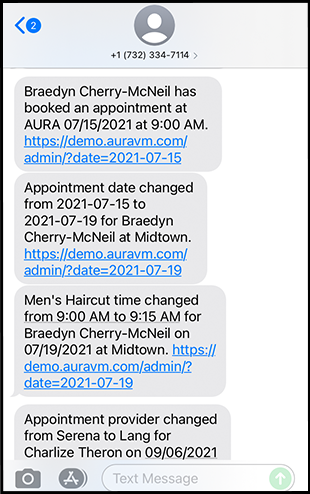
Enable providers to receive automated text messages regarding their appointments, including: bookings, cancellations and appointment updates. Managers or Owners may turn on the notifications per employee by selecting the checkbox for “Appointment Alerts” on the top of the employee’s profile.
Appointment alerts will be factored into your plan's text message allotment. If you are unsure of your plan or are interested in upgrading your plan to increase the number of texts, please contact support@aurasalonware.com. Any text sent that exceeds your plan will be $.03 per text.
Product Return Report
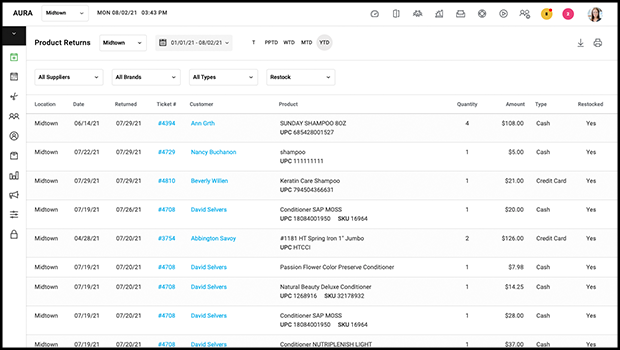
All product returns are tracked in the Product Return Report that Managers and Owners can access by going to Reports > Product Returns
Discount Report
The Discount Report tracks all service and product discounts and promotions. Owners and Managers can see details of the transactions involving discounts by going to Reports > Discount Report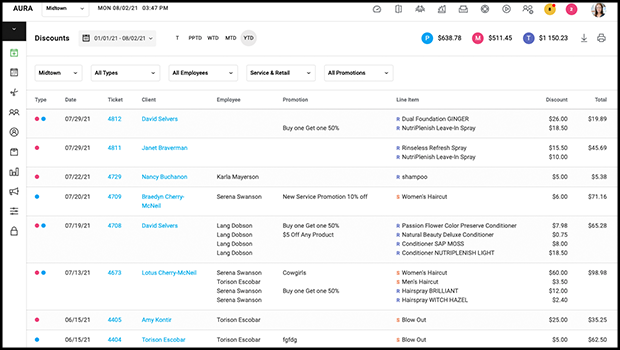
Tip Options on Client App and Admin App
When clients check out via their Client App they have the ability to choose tip amounts ranging from 10% - 25% or they may provide a custom tip amount for their services for each provider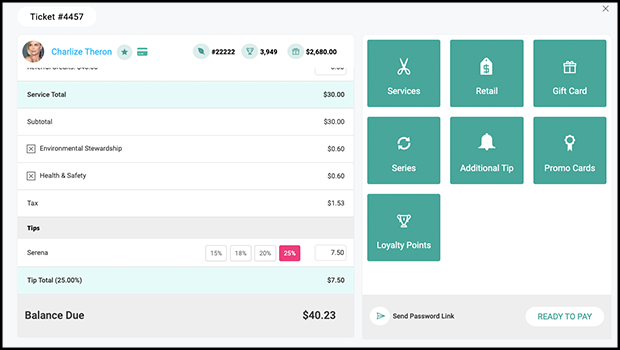
Provider Access To Ticket
Owners can prevent providers from accessing tickets by disabling View Ticket within Salon Settings > Access. By default, providers are able to access tickets. Learn more here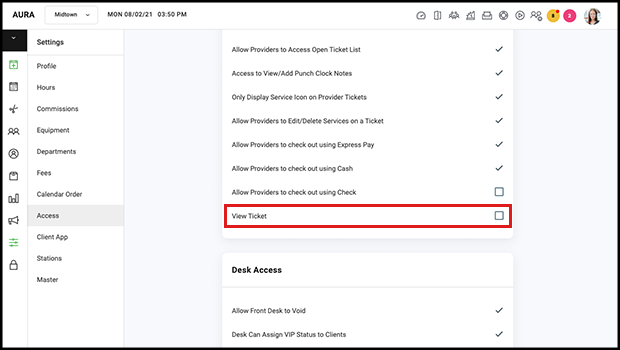
Make a Former Employee into a Client
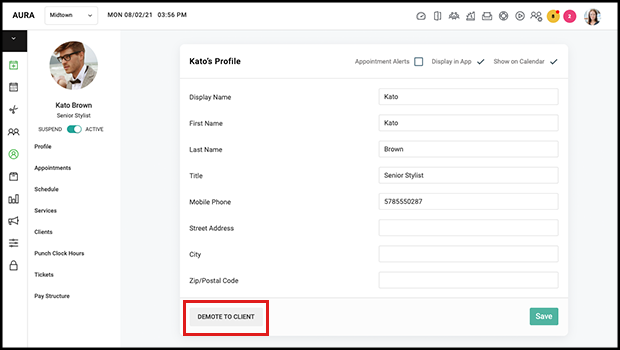
In each employees profile there is a button titled Demote to Client which disables that employees access to the business side of AURA and allows them to retain Online Booking access via the email and password on file. New and Current Employees are automatically given client-level access to Online Booking. Owners and Managers can suspend the employee to restrict all access to AURA and then demote them should they want to continue as a client. Please note that demotion affects reporting in the same ways that suspension does. Learn more here
Week Start and Overtime Settings
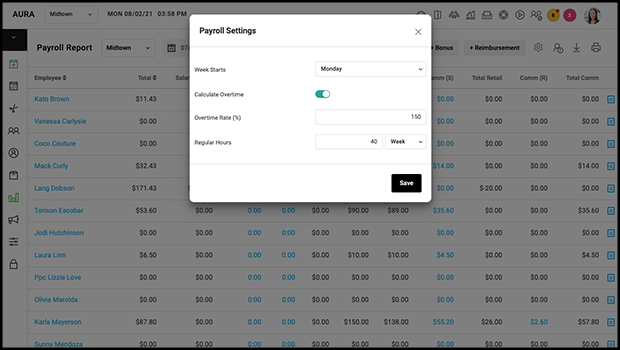
Settings to adjust the beginning of the work week and overtime are accessible via the gear symbol that Owners and Managers have access to in Reports > Payroll
The Date Picker and the Today Button
When viewing the current day on the Calendar the Today button is green. When viewing a different date on the calendar the Date Picker is green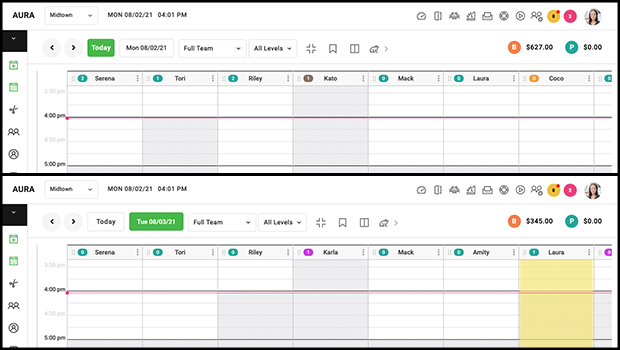
Level Selector on the Calendar
The appointment Calendar can be filtered by service price level.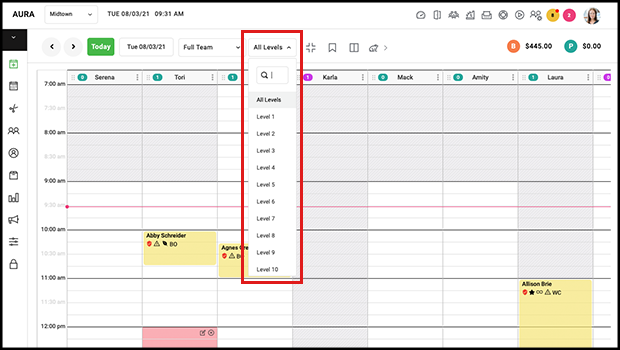
Gift Card Expiration
Owners and Managers may set an expiration date for Gift Cards by selecting the gear symbol and the Gift Card List can be filtered by selecting the hour glass to show upcoming gift card expiration dates.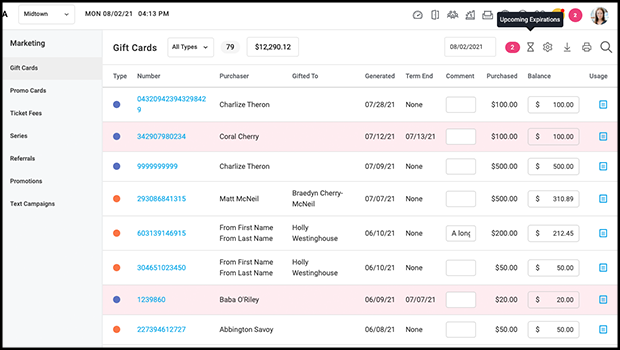
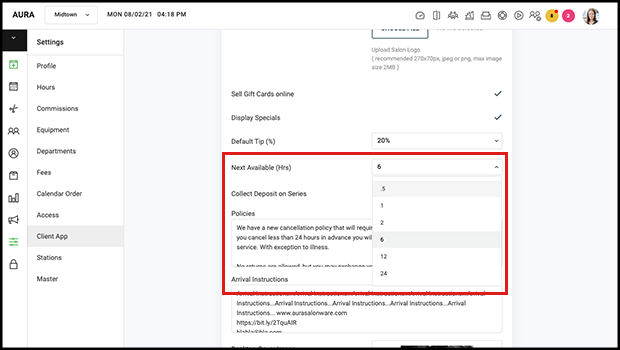
Next Available Window for Online Bookings
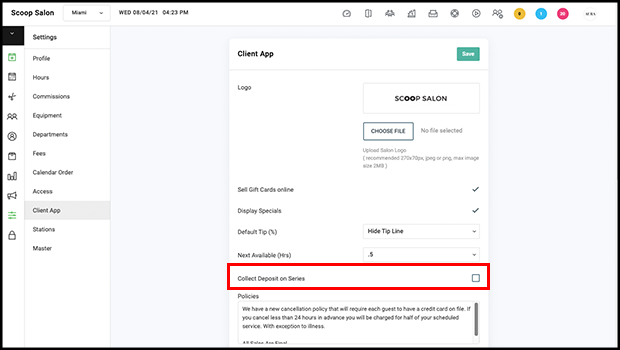
Owners and Managers can set Next Available timing in Salon Settings > Client App and restrict clients from booking appointments between .5 - 24 hours from the current time, giving the salon time to prepare for the client's visit
Collect Deposit on a Series
Each location of your business can decide whether to collect deposits when clients book a service they have a series of. Owners may change this setting and the default state is off. It is universal as long as the service associated with the series has the same exact name at each location
For more information regarding these new features or live support, contact support@aurasalonware.com