We are excited to announce the following AURA Salonware system updates!
Gift Card Updates
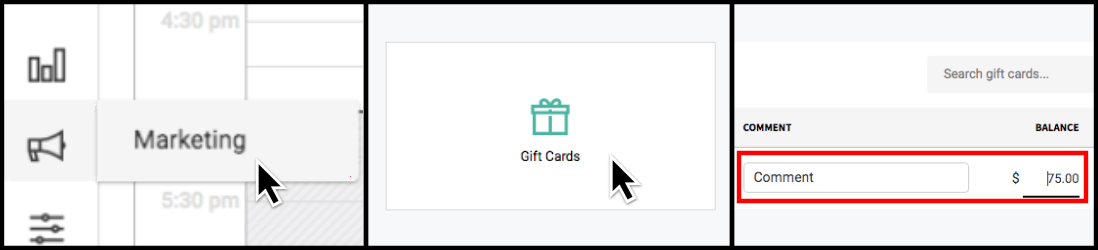
Owners and Managers can add comments to Gift Cards, and update outstanding Gift Card balances. Reception staff can view, but not edit, the entered comments. All edits must be made by going to Marketing and selecting Gift Cards. All changes to gift card balances are captured in the Gift Card Lifetime Usage Popup (Green Memo Icon). Learn how it works
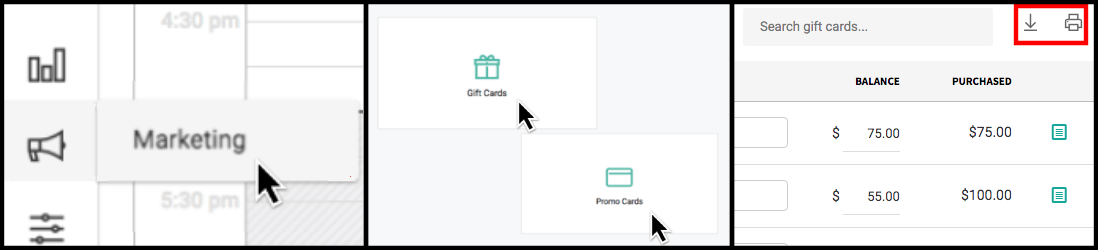
Owners, Managers and Reception Staff can download and print their Gift Card and Promo Card lists by selecting the appropriate icon from the Gift Card or Promo Card tab under Marketing. Learn how it works
SalonLock Access Updates
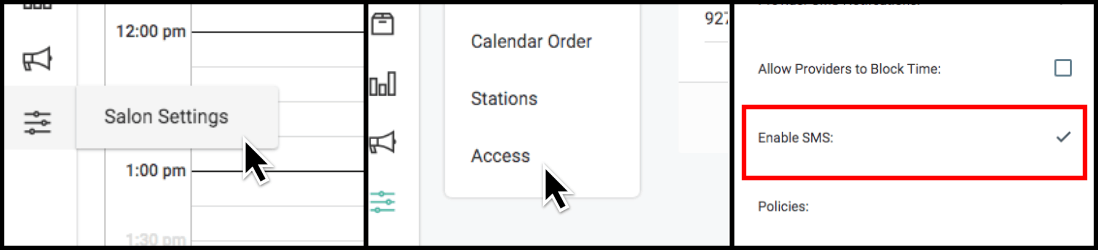
Salon Owners can enable or disable their text message notifications (client-facing and provider) using the “Enable SMS” checkbox on the Acces tab under Salon Settings. Learn how it works
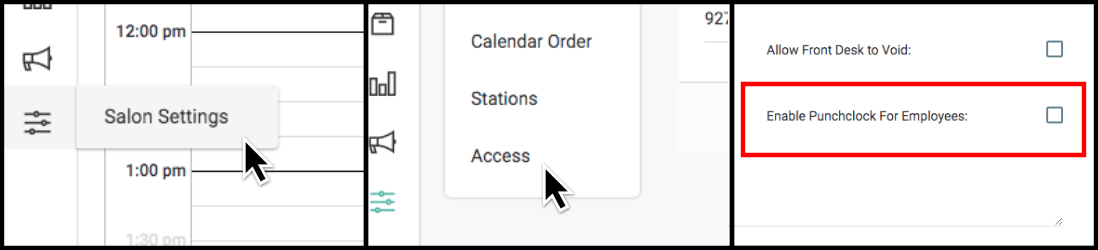
Salon Owners can enable or disable the punch clock feature using the “Enable Punch Clock for Employees” checkbox on the Access tab under Salon Settings. If disabled (unchecked), employees will not be able to punch in/out from their phone or desktop. Learn how it works
Salon Profile Update
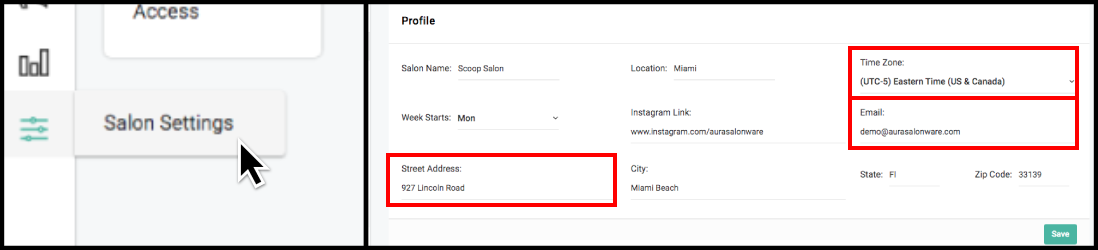
Owners and Managers can set the address, email, and time zone in their Salon Profile under Salon Settings. The entered address and email display in the client application. The time zone affects the time displayed in the salon-side application.
Provider Role Badge on Calendar
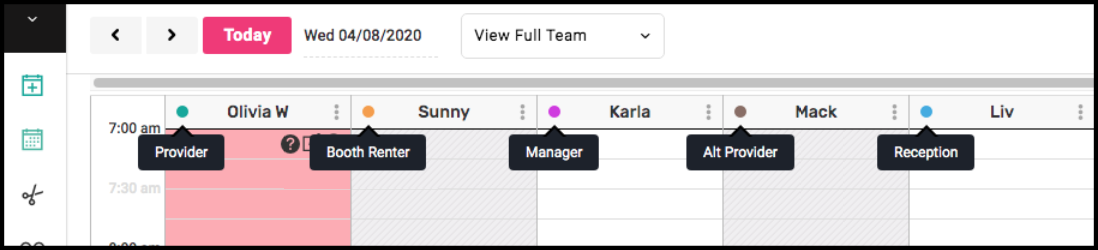
A colored circle denotes the role of each employee shown on the calendar.
Service List Search
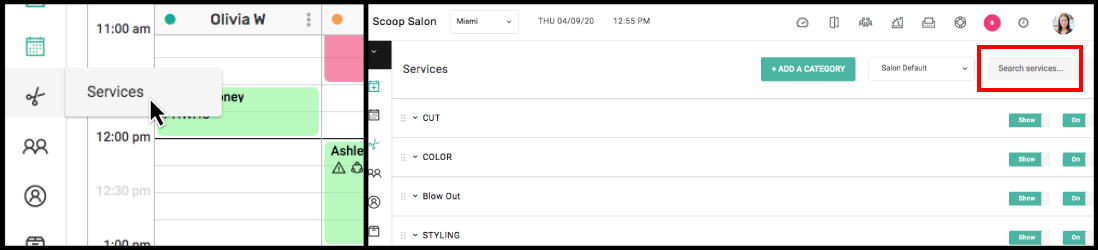
Owners, Managers, and Reception can search the service name in the default service list.

Today's Team: Message Notification
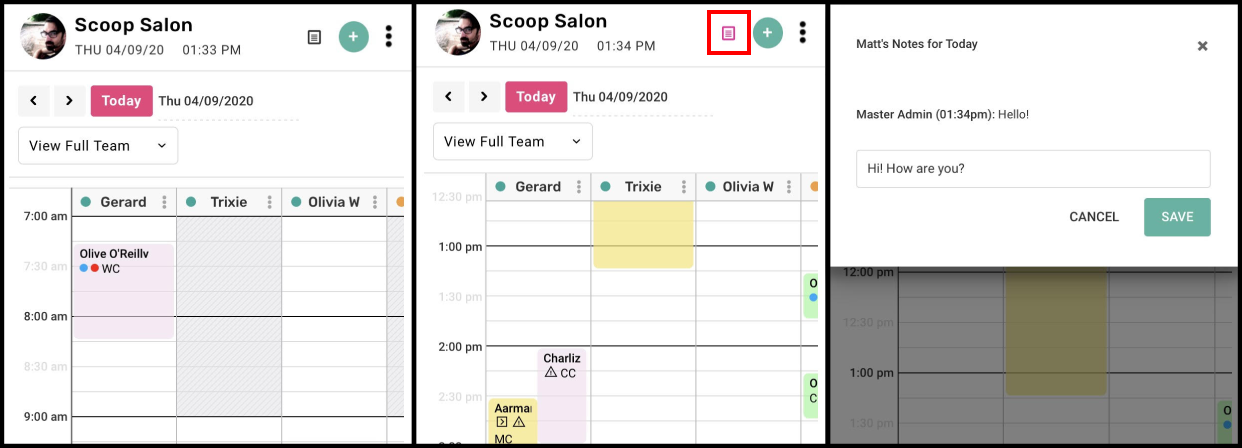
A memo icon displays on the mobile calendar and turns pink when a message is sent to the user via Today's Team. Select the icon to read the message and respond.
Friends & Family Pricing
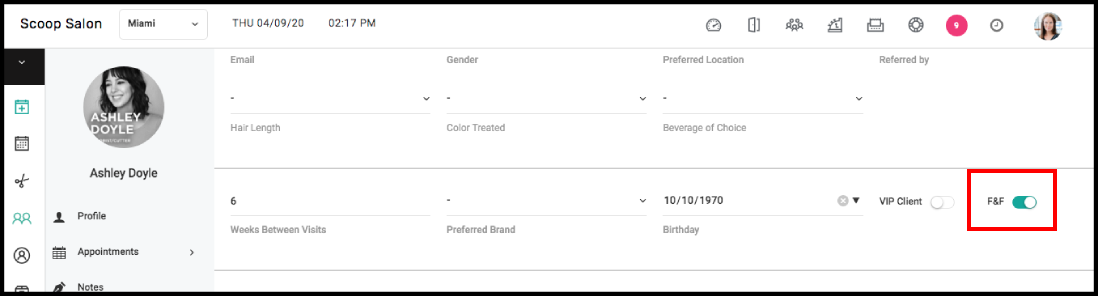
Owners and Managers can designate Individual clients as "Friends & Family" from the client's profile, which will automatically apply F&F pricing to that client.
Client Email Download
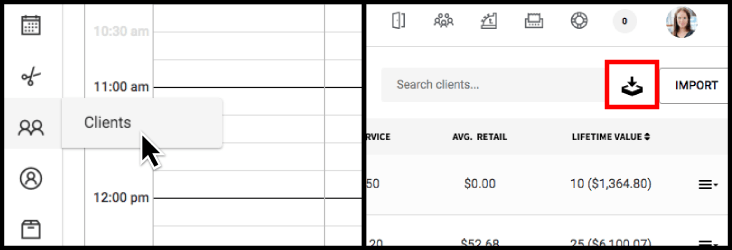
The client email download includes the date of the client’s last visit to the salon. The client email download can only be exported using your Owner login credentials and is accessed from the Client tab.
Total Value on Reports
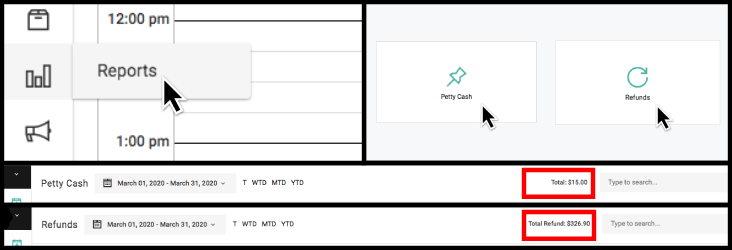
The total monetary value displays on the top right of the Refund Report and Petty Cash Report for the selected date range.
Date Shortcut on Reports
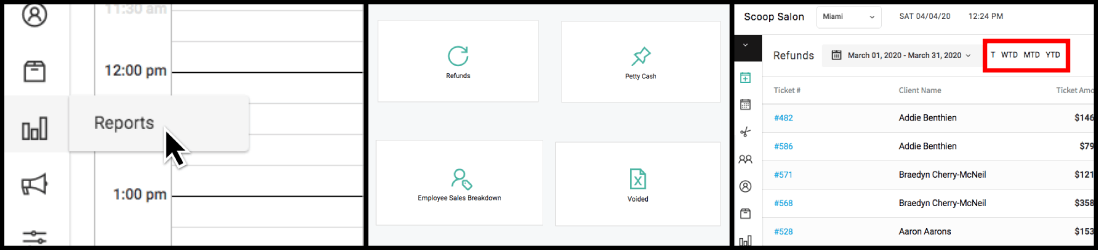
The following time frame shortcuts have been added to the Refund Report, Petty Cash Report, Employee Sales Breakdown Report and Void Report: Today (T), Week to Date (WTD), Month to Date (MTD) and Year to Date (YTD).
Retail Report Update
The Supplier column has been replaced with a Refund column in the Retail Report to identify total refunds per product. 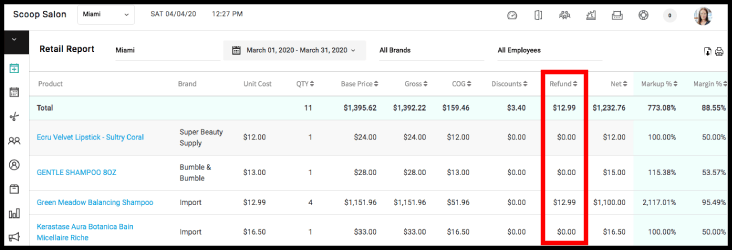
Void Report Update
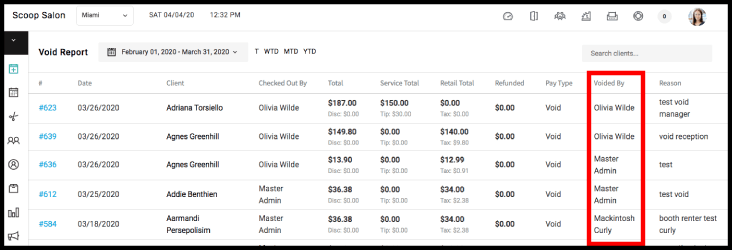
The Void Report now includes the employee that voided the transaction.
Employee Sales Breakdown Report Updates
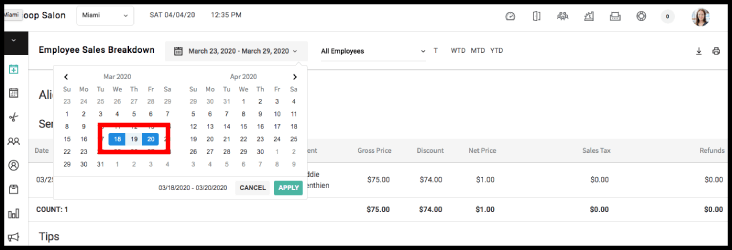
The Employee Sales Breakdown Report is now searchable by any date range.
The following information has been added to the Employee Sales Breakdown Report: Tips, Sales Tax and Refunds. 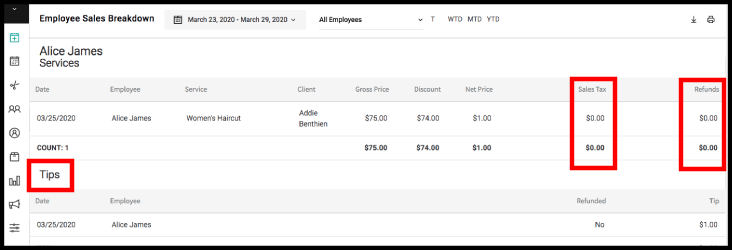
The following information has been added to the Employee Sales Breakdown Report under Retail: Sales Tax and Refunds. 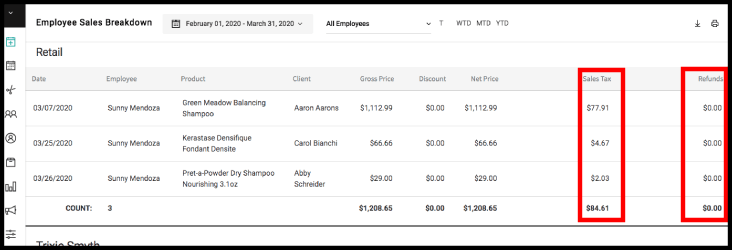
For more information regarding these new features or live support, contact support@aurasalonware.com